Business Partner Info
Business Partner Info
Application > Master Data Management > Business Partner Info
Overview
The Business Partner Info window is a consolidated, read-only view of all transaction activity recorded for a given business partner. It centralizes four types of information in a single place: orders, shipments and receipts, invoices, and assets. Sales, purchasing, and accounts teams use this window to get a quick summary of a partner's activity without navigating to each individual transaction window. No data entry is possible here; the window is intended strictly for consultation and review.
Business Partner Selection
Select a business partner from the list to load their transaction data in the tabs below.
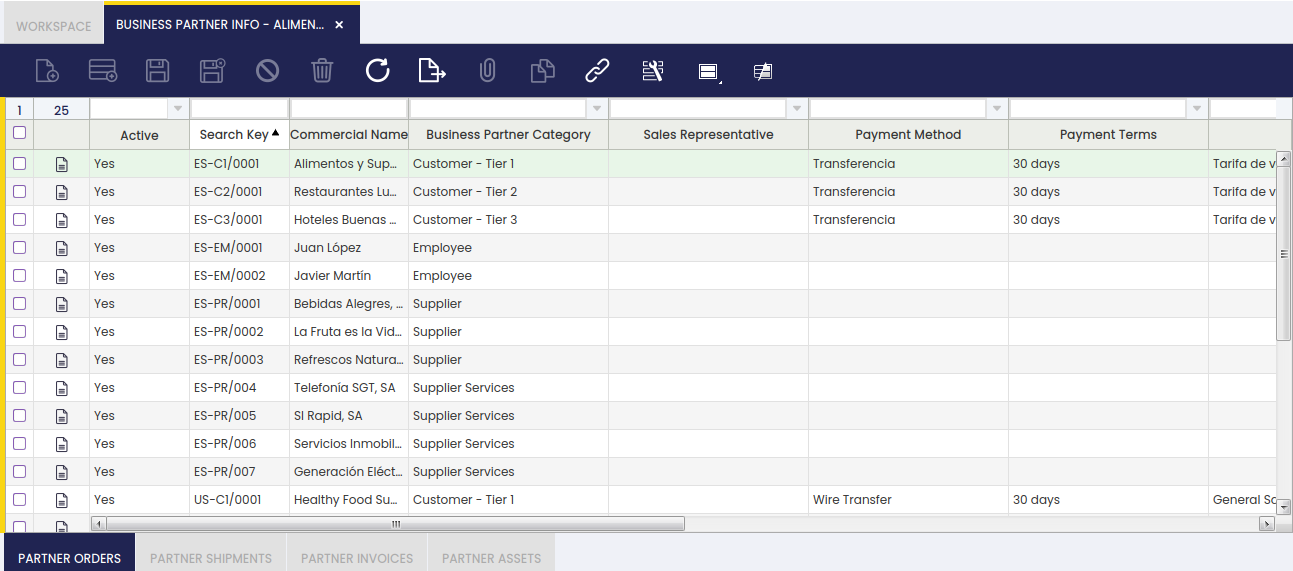
Fields to note:
- Active: indicates whether the business partner is currently active.
- Search Key: short identifier used to search for the business partner.
- Commercial Name: the business partner's commercial name.
- Business Partner Category: classifies the partner. For example: Customer - Tier 1, Supplier, or Employee.
- Sales Representative: the sales representative assigned to the business partner, if any.
- Payment Method: the default payment method for the business partner. For example: Wire Transfer.
- Payment Terms: the agreed payment terms. For example: 30 days.
Once a record is selected, the Partner Orders, Partner Shipments, Partner Invoices, and Partner Assets tabs at the bottom of the screen are populated with the corresponding transaction data.
Partner Orders
This tab lists all orders associated with the selected business partner, covering both sales orders and purchase orders.
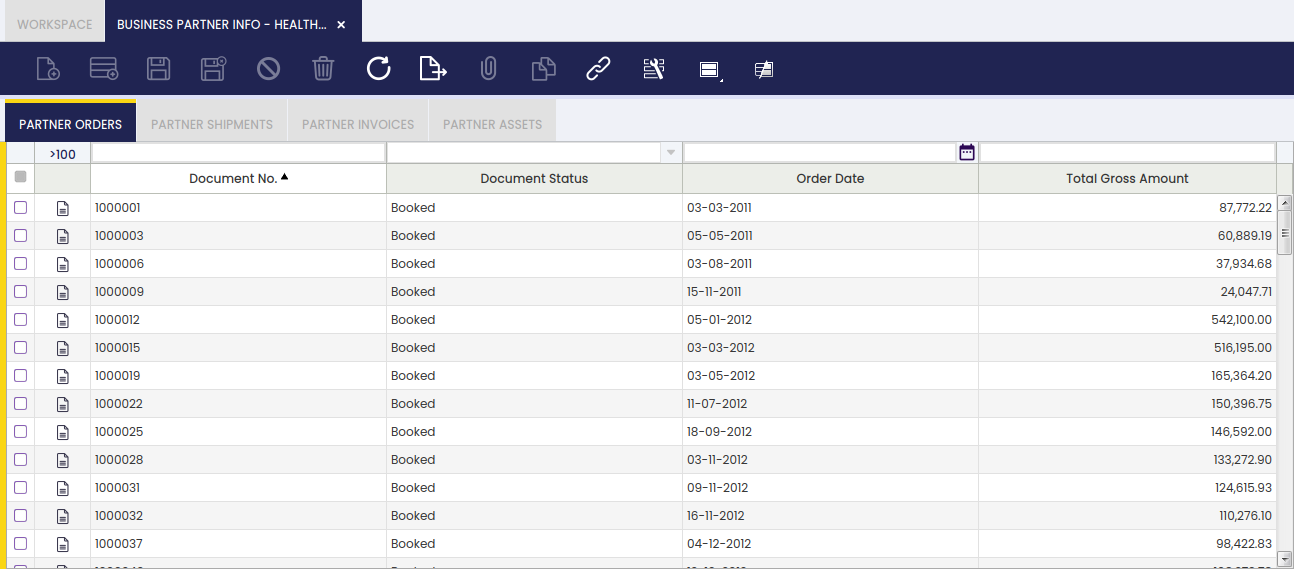
Fields to note:
- Document No.: the order document number.
- Document Status: the current status of the order. For example: Booked.
- Order Date: the date the order was placed.
- Total Gross Amount: the total gross amount of the order.
Partner Shipments
This tab lists all shipments and receipts associated with the selected business partner.
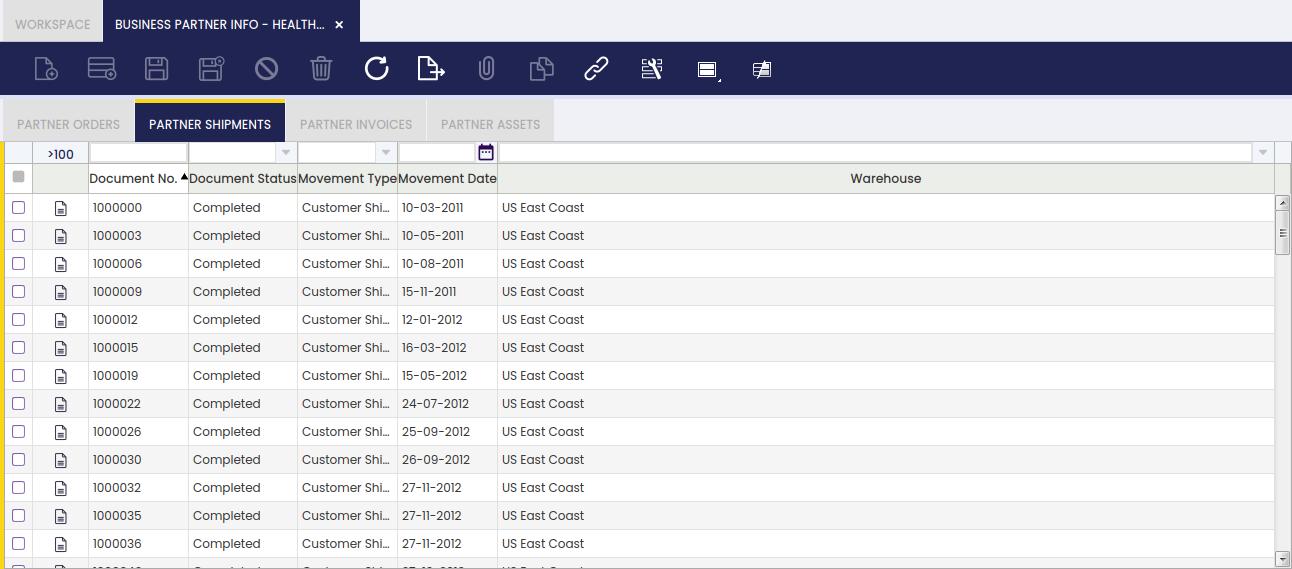
Fields to note:
- Document No.: the shipment document number.
- Document Status: the current status. For example, Completed.
- Movement Type: the type of movement. For example, Customer Shipment.
- Movement Date: the date the movement occurred.
- Warehouse: the warehouse from which the shipment was dispatched.
Partner Invoices
This tab lists all invoices associated with the selected business partner, covering both sales invoices (referred to as AR — Accounts Receivable — in the system) and purchase invoices (referred to as AP — Accounts Payable — in the system).
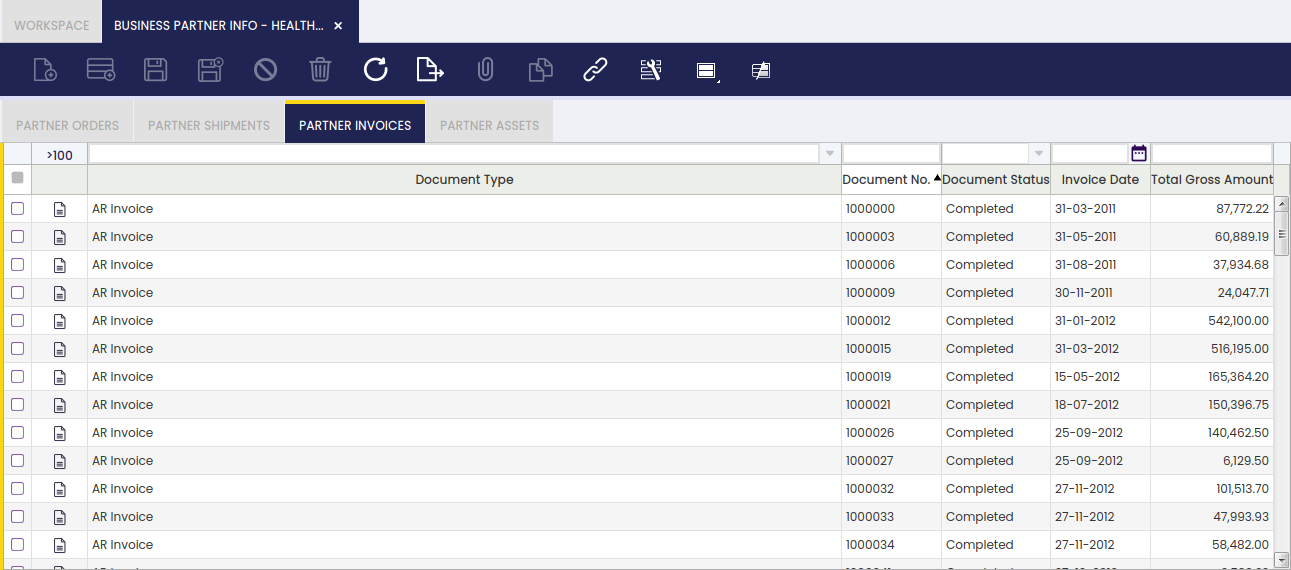
Fields to note:
- Document Type: the type of invoice document. For example: AR Invoice.
- Document No.: the invoice document number.
- Document Status: the current status. For example: Completed.
- Invoice Date: the date the invoice was issued.
- Total Gross Amount: the total gross amount of the invoice.
Partner Assets
This tab lists all assets associated with the selected business partner, such as equipment or property that the organization tracks in relation to that partner.

Fields to note:
- Product: the product linked to the asset.
- Asset Category: the category the asset belongs to. For example: Vehicles.
- Name: the name that identifies the asset. For example: Car.
- Description: additional details about the asset, if any.
- Lot Name: the lot number associated with the asset, if applicable.
- Serial No.: the serial number of the asset, if applicable.
- In Service Date: the date the asset was placed in service.
- Expiration Date: the date the asset is due to expire or be retired, if applicable.
This work is a derivative of Master Data Management by Openbravo Wiki, used under CC BY-SA 2.5 ES. This work is licensed under CC BY-SA 2.5 by Etendo.