Balance Sheet and P&L Structure Advanced
Application > Financial Management > Accounting > Analysis Tools > Balance Sheet and P&L Structure Advanced
Overview
Info
This functionality is available starting from version 3.4.0 of the Financial Extensions Bundle, compatible with Etendo 25.1. To install it, follow the instructions from the marketplace: Financial Extensions Bundle. For more information about the available versions, core compatibility and new features, visit Financial Extensions - Release notes.
The Balance Sheet and P&L Structure Advanced report is an enhanced version of the previous Balance Sheet and P&L Structure. Its purpose is to expand the filtering criteria, including all available accounting dimensions and the ability to compare multiple years or periods.
Header
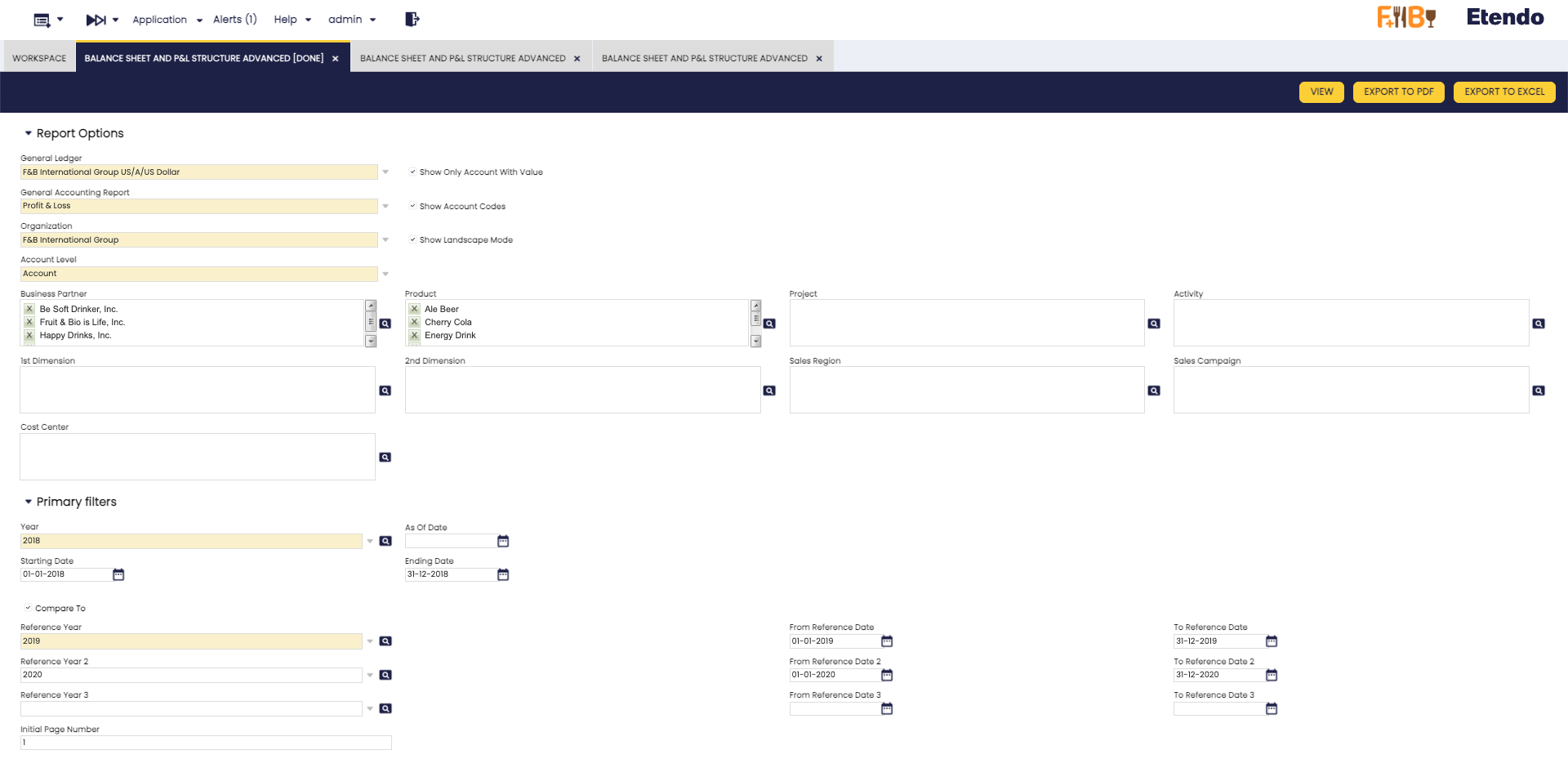
Fields to note:
In addition to the previous Report Options:
- General Ledger
- General Accounting Report
- Organization
- Account level
- Show Only Account With Value (check)
- Show Account Codes (check)
- Show Landscape Mode (check)
The following dimension were added:
- Business Partner
- Product
- 1st Dimension
- 2nd Dimension
- Project
- Activity
- Sales Region
- Sales Campaign
- Cost Center
Info
In each dimension filter, more than one option can be selected.
Also, in addition to the previous Primary Filters:
- Year
- As of Date (Only for Balance Sheet)
- Starting Date (Only for Profit & Loss)
- Ending Date (Only for Profit & Loss)
- Compare to (check)
- Reference Year
- As of Reference Date (Only for Balance Sheet)
- From Reference Date (Only for Profit & Loss)
- To Reference Date (Only for Profit & Loss)
- Initial page number, printed in the report.
Info
- It is now possible to compare up to four years simultaneously.
- In addition, new fields have been added to allow the selection of specific dates and periods according to the needs of each report, providing greater flexibility in the analysis.
Buttons
In this report, the View, Export to PDF, and Export to Excel buttons are added to the top bar, allowing you to either view the information directly or export it in different formats as needed.

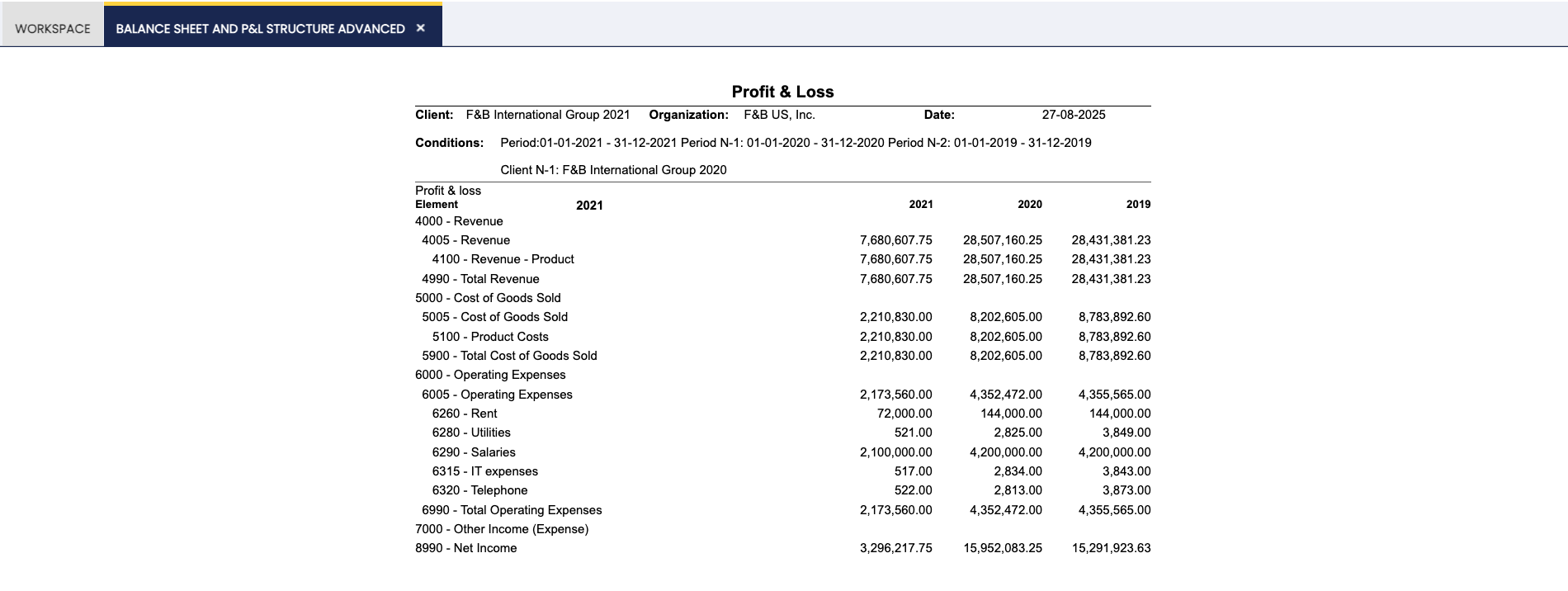
P&L Report Example
This work is a derivative of Financial Management by Openbravo Wiki, used under CC BY-SA 2.5 ES. This work is licensed under CC BY-SA 2.5 by Etendo.