Asset Group
Application > Financial Management > Assets > Asset Group
Overview
Assets can be grouped into different categories with the aim of helping their depreciation management and analysis.
Asset Group window
Asset Group window allows the user to create and configure every asset category your organization may need.
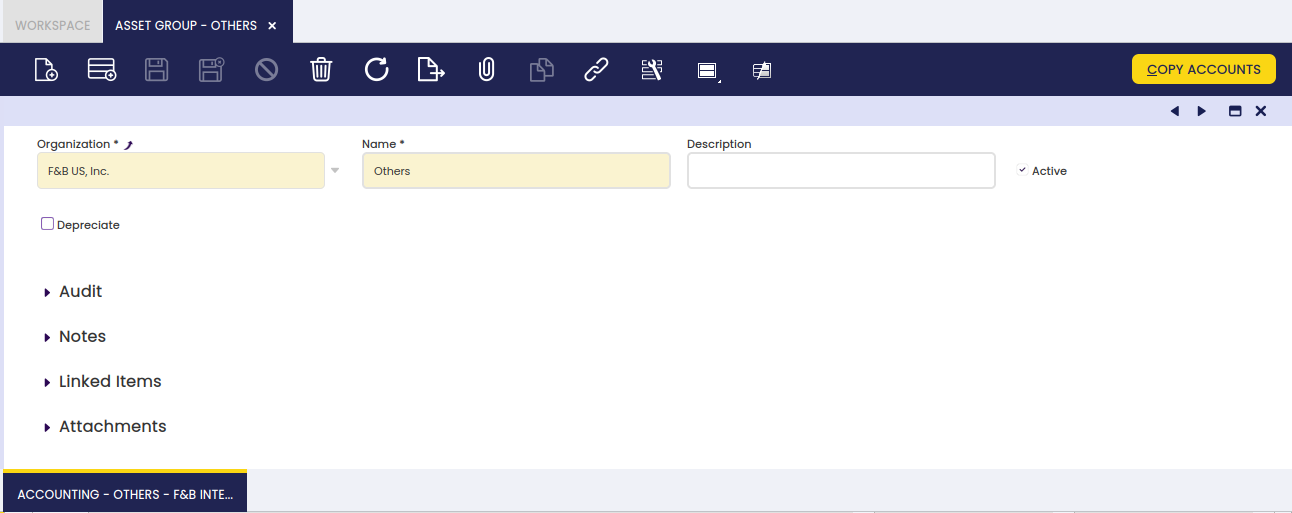
As shown in the image above, the creation of an asset category requires the user to enter below listed information for each category:
- Name or short name which helps to easily find a category.
- Description a space to write additional related information.
- Depreciate indicates if the assets of this group will be depreciated.
- Depreciation Type Linear. It indicates the method used to depreciate this asset.
- Calculate Type it indicates how the depreciation will be calculated: Time (monthly or yearly) or Percentage (yearly).
- Annual Depreciation Annual percentage used to depreciate this asset.
- Amortize it refers to the periods chosen between depreciation entries (monthly, yearly).
- Usable Life - Months Years of the usable life of the asset.
- Usable Life - Years Months of the usable life of the asset.
Depreciation configuration will be inherited from the asset category when creating a new asset from the Asset window.
Accounting tab
Each asset category allows the user to configure a different set of accounts to use to post asset depreciation.
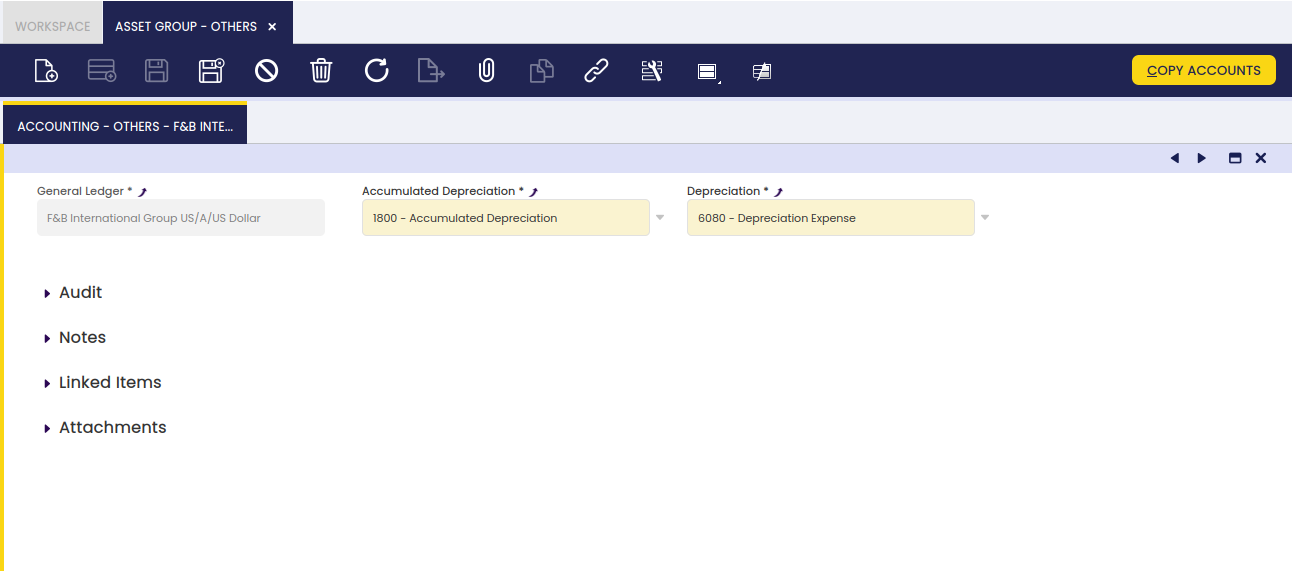
This work is a derivative of Financial Management by Openbravo Wiki, used under CC BY-SA 2.5 ES. This work is licensed under CC BY-SA 2.5 by Etendo.