Payment Execution
Application > Financial Management > Receivables and Payables > Transactions > Payment Execution
Overview
Payment Execution form allows the user to massively execute deferred payments in an "Awaiting Execution" status.
The same applies to payments that failed during the execution process due to a paper jam or any other problem occurred due to a connection failure.
There are some mandatory filtering options:
- the organization
- the payment method
- and the financial account
Info
Note that the payment method/s used while receiving/making the corresponding payment/s requires a "deferred" automatic execution process configured while being assigned and configured for a given Financial Account.
and some other available filters such as:
- Payment Dates From/To
- whether the payment is a "Received In" payment or a "Paid Out" payment
Once the process button "Search" is pressed, the payments to execute are shown.
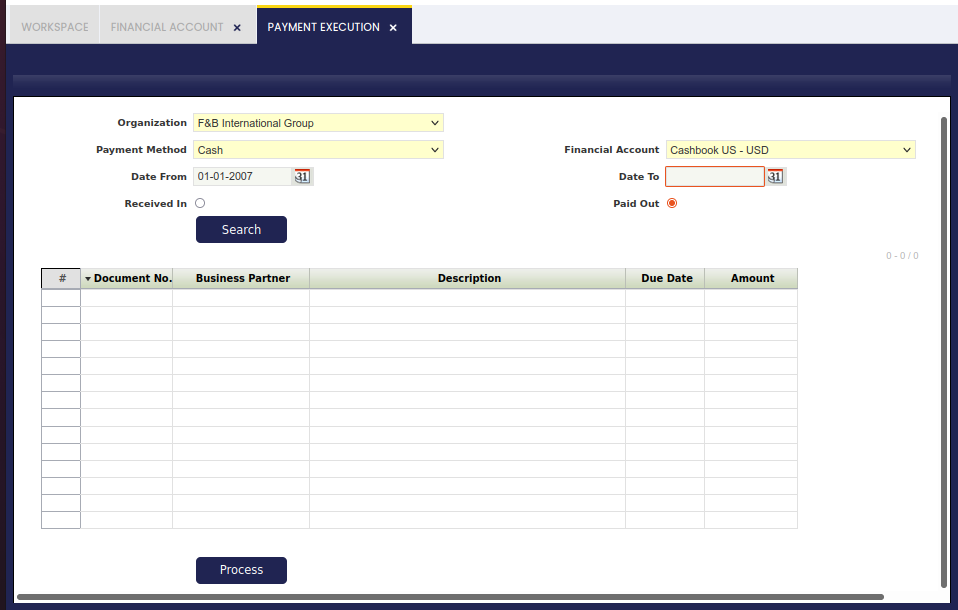
Once the process button "Process" is pressed, a new window is displayed to allow the user to enter the input parameters required such as the check number, for instance if the execution process selected in the payment method used was "Print Check simple process".
Once the process button "Execute" is pressed, the payment changes its status to either "Payment Made/Payment Received" or "Withdrawal not Cleared/Deposit not Cleared", therefore the next payment can be processed and therefore executed.
Note that several payments can be selected to be executed grouped in the same payment run.
If that is the case, more than one payment for the same business partner can be paid by the same check number.
This work is a derivative of Financial Management by Openbravo Wiki, used under CC BY-SA 2.5 ES. This work is licensed under CC BY-SA 2.5 by Etendo.