General Ledger Report Advanced
Application > Financial Management > Accounting > Analysis Tools > General Ledger Report Advanced
Info
To be able to include this functionality, the Financial Extensions Bundle must be installed. To do that, follow the instructions from the marketplace: Financial Extensions Bundle. For more information about the available versions, core compatibility and new features, visit Financial Extensions - Release notes.
Overview
This General Ledger Advanced report is an enhanced version of the previous General Ledger Report. Its purpose is to expand the filtering criteria, including all the existing accounting dimensions in the table Accounting Transaction Details.
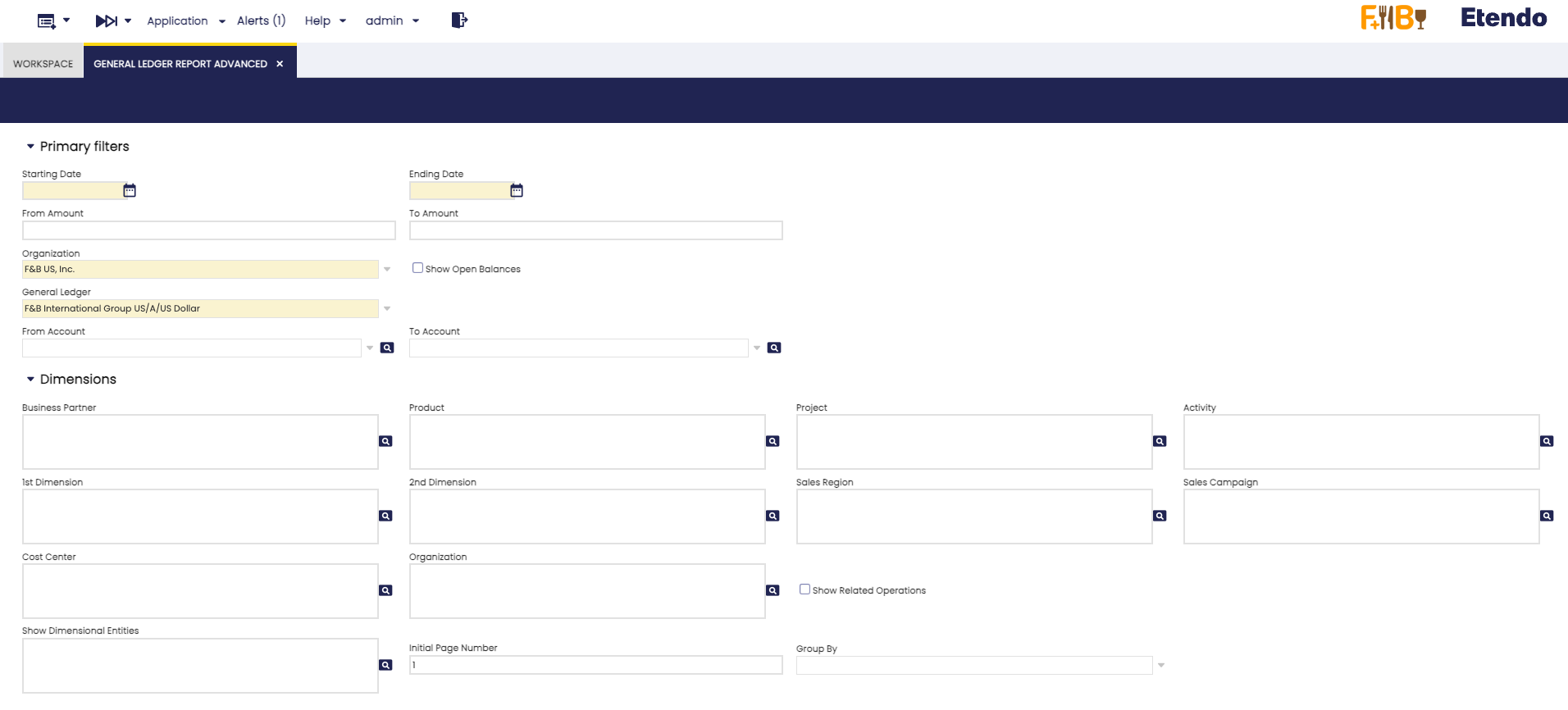
In addition to the previous basic filters: Date from, Date to, From amount, To amount, Organization, General Ledger, From Account, To account, and the previous dimension filters: Business partner, Product and Project, the following were added:
- Activity
- 1st Dimension
- 2nd Dimension
- Sales Region
- Sales Campaign
- Cost Center
Moreover, the Organization filter was added, a filter that combines the original Organization field with the Show Related Operations check, to show intercompany transactions. In each filter, more than one option can be selected.
The new Show Dimensional Entities field enables the selection of accounting dimensions to be included in the report.
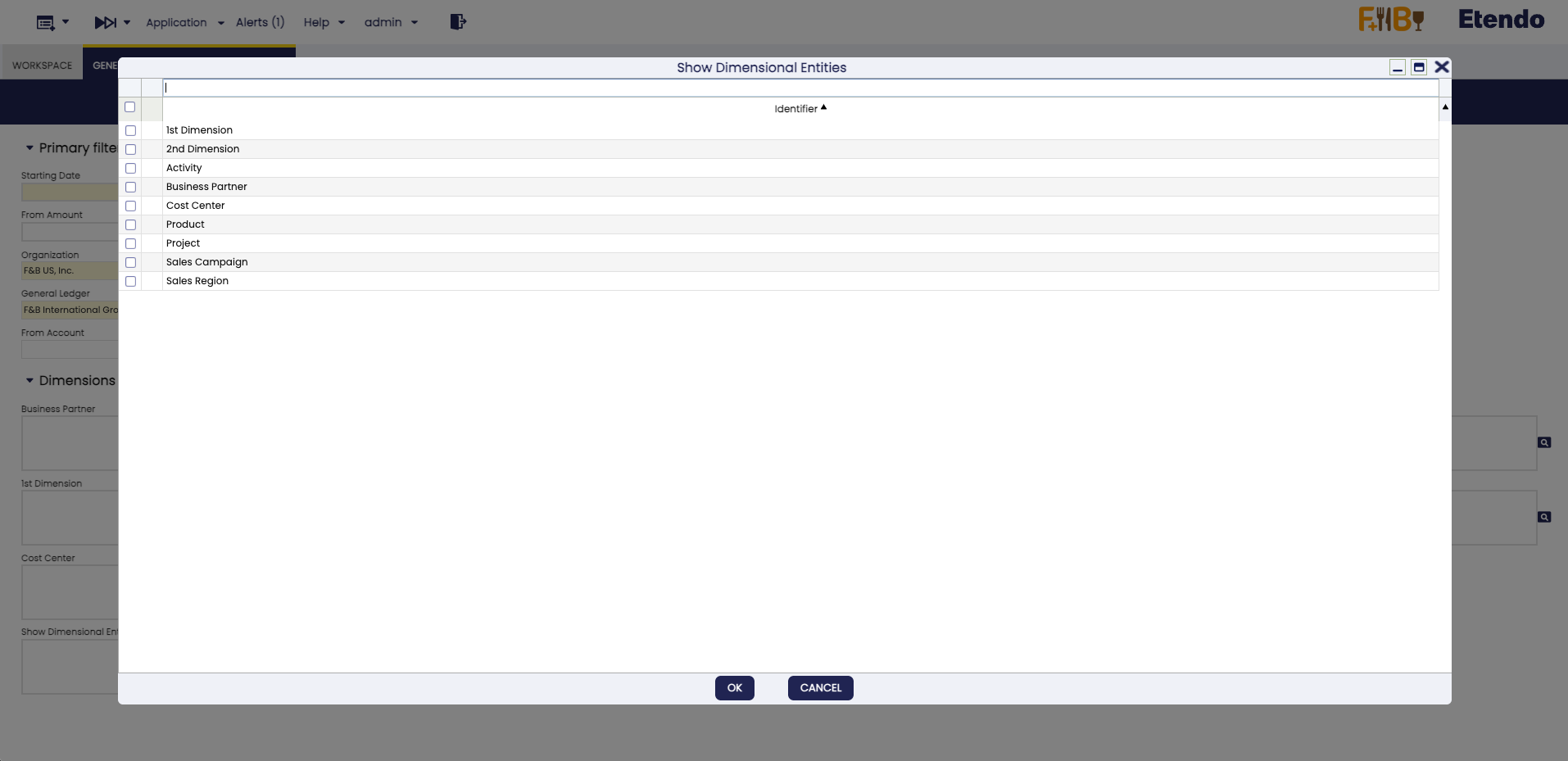
In the Group By menu, the following options are added:
- Activity
- 1st Dimension
- 2nd Dimension
- Sales Region
- Sales Campaign
- Cost Center
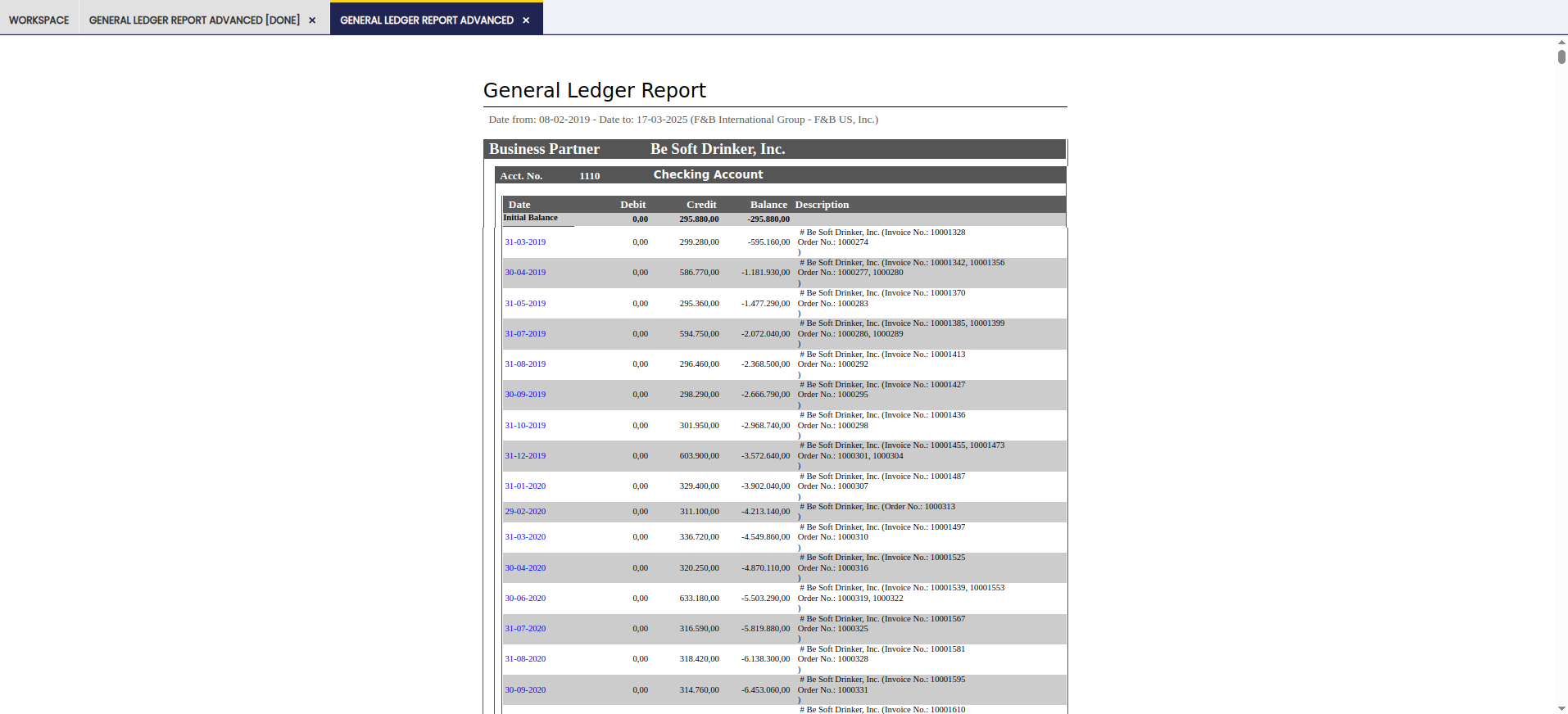
It is possible to select the desired accounting dimension for the grouping. When generating the report, the selected dimension appears in the header, indicating the grouping criteria used.
Buttons
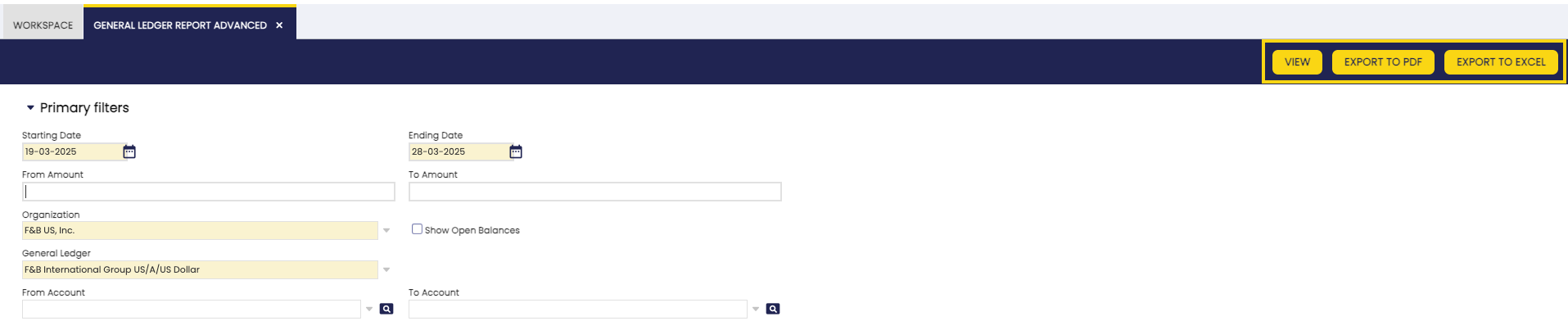
In the toolbar, you can find the buttons View, Export to PDF and Export to Excel to generate the report. In the case of the View option, a new window is opened with the corresponding report. In the other cases, the report is exported in PDF or Excel format.
Warning
If the View or Export to PDF options are chosen, the limit of dimensions to be included is 4 to avoid visualization issues. This is not the case with Export to Excel, in which case you can choose any number of dimensions.
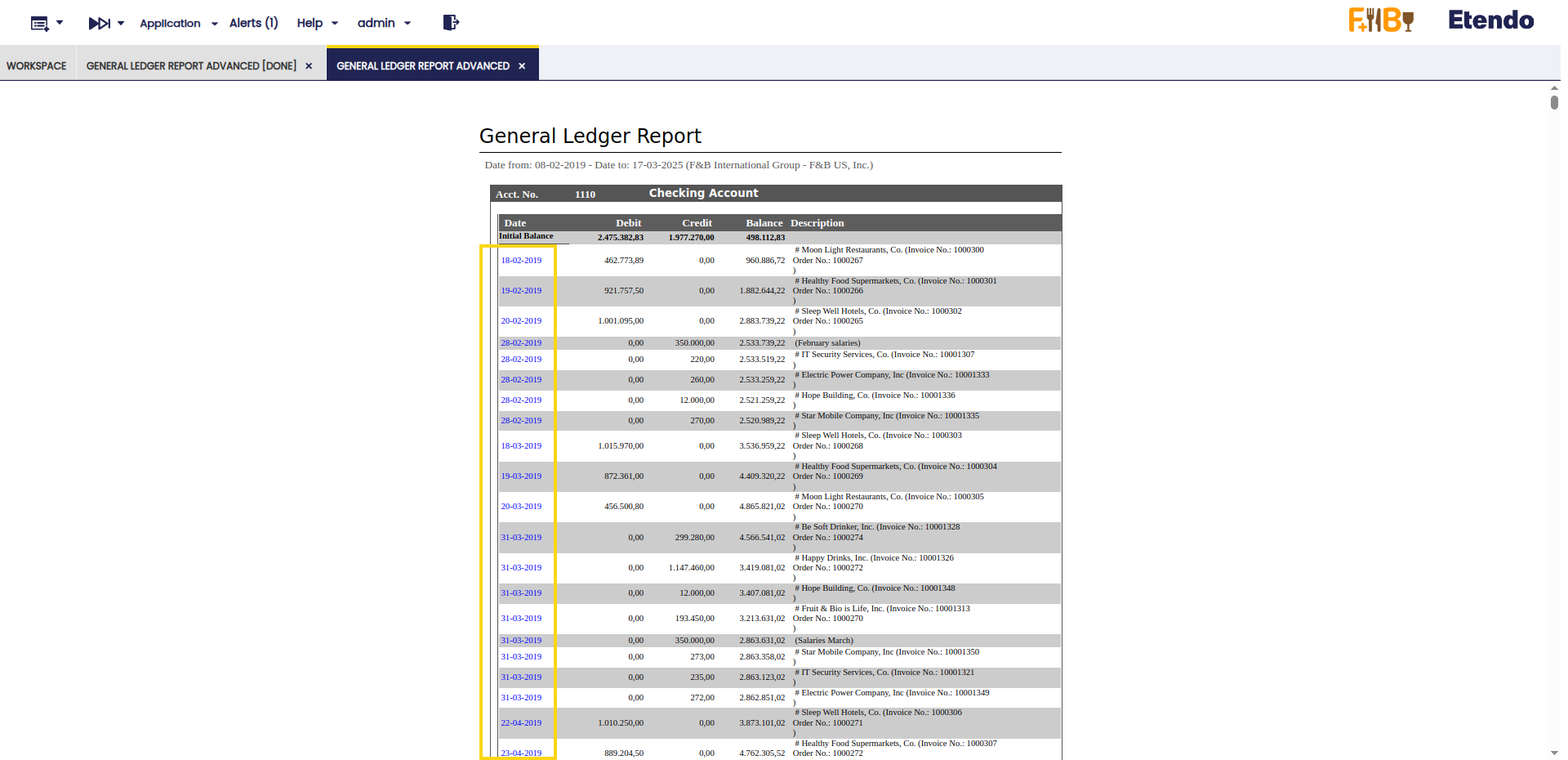
Also, with this functionality you can navigate to the related journal entry directly from the report. This allows easier and more efficient access to information. By clicking on a journal entry, the user can navigate to the Journal Entries Report window, applying all selected filters.
This work is a derivative of Financial Management by Openbravo Wiki, used under CC BY-SA 2.5 ES. This work is licensed under CC BY-SA 2.5 by Etendo.