Service Price Rule
Service Price Rule
Application > Master Data Management > Picing > Service Price Rule
Overview
In this window Price Rules assigned to Price Rule Based services will be configured. Instead of having a fixed price, there will be rules that will determine the price of the Service.
Service Price Rule
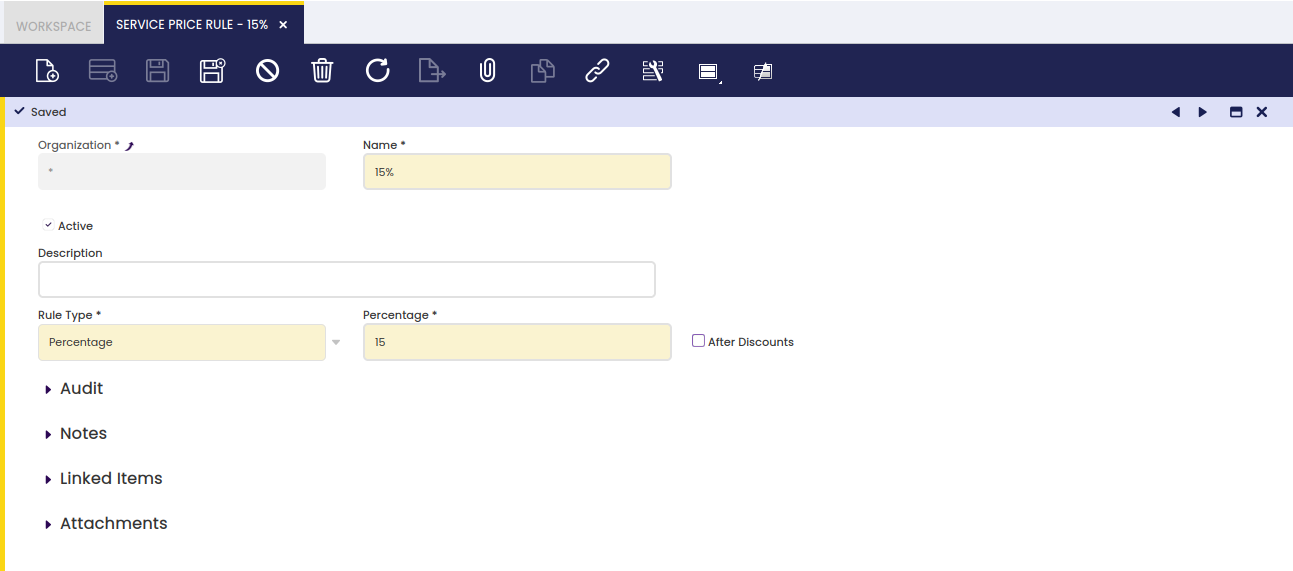
Configuration fields:
- Name: Name of the Service Price Rule.
- Description: Description of the Service Price Rule.
- Rule Type: There are two values to select in the dropdown
- Percentage: If selected, a Percentage field will be displayed allowing to set a Percentage. To determine the price of the service, this amount will be applied to the amount of the lines related to the service.
- Percentage: Percentage to be applied.
- After Discounts: If selected, the percentage will be applied after adding the discounts to the ticket.
- Ranges: If selected, a new tab Ranges will be displayed allowing to create different Ranges based on the amount of the related lines.
Ranges
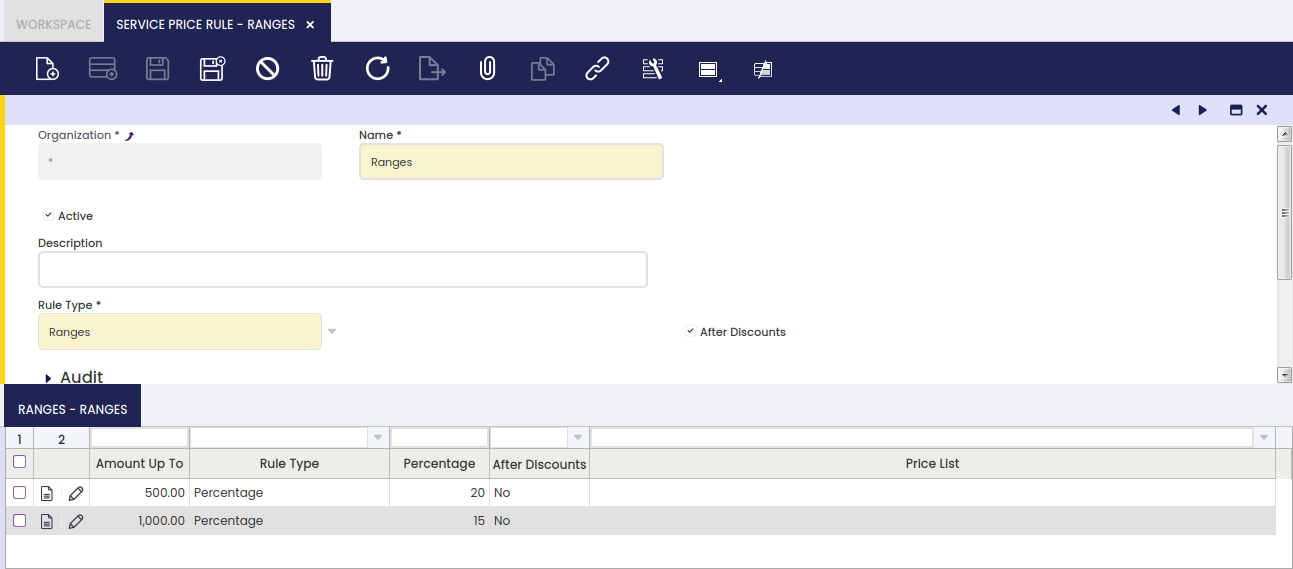
In this tab, different Ranges can be created based on the amount of the related order lines. Configuration fields:
- Amount Up To: If the summed amount of related order lines is equal or less than this amount, the configuration of this range will be taken into account.
- Rule Type: There are two values to select in the dropdown
- Percentage: If selected, a Percentage field will be displayed allowing to set a Percentage. To determine the price of the service, this amount will be applied to the amount of the lines related to the service.
- Percentage: Percentage to be applied.
- After Discounts: If selected, the percentage will be applied after adding the discounts to the ticket.
- Fixed Price: If selected, a field 'Price List' will be displayed.
- Price List: Price List from which the price of the service will be obtained.
This work is a derivative of Master Data Management by Openbravo Wiki, used under CC BY-SA 2.5 ES. This work is licensed under CC BY-SA 2.5 by Etendo.