Currency Converters
Application > Master Data Management > Currency Converters
Info
To be able to include this functionality, the Financial Extensions Bundle must be installed. To do that, follow the instructions from the marketplace: Financial Extensions Bundle. For more information about the available versions, core compatibility and new features, visit Financial Extensions - Release notes.
Overview
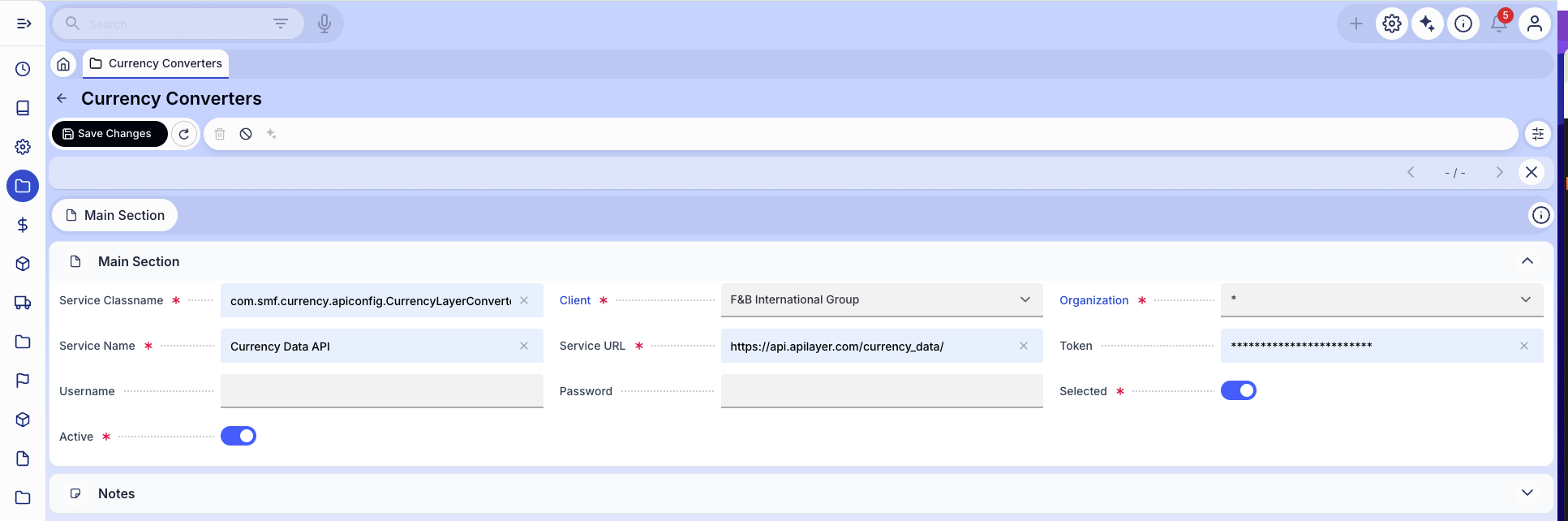
The Currency Converters window is where you enter the access details (such as a URL and API key) that Etendo needs to connect to an external service that provides daily exchange rates. Once set up, the system can download current rates automatically instead of requiring you to enter them manually. The Conversion Rate Downloader module uses this configuration to retrieve those rates.
Info
The Currency Converters window is one step in the overall exchange rate automation setup. For the complete configuration workflow, including how to schedule automatic downloads and define conversion rules, visit the Conversion Rate Downloader page.
This work is licensed under CC BY-SA 2.5 ES by Futit Services S.L.