Doubtful Debt Run
Application > Financial Management > Receivables and Payables > Transactions > Doubtful Debt Run
Doubtful Debt Run window is used to define which debts, and in what percentage, are considered doubtful. These Doubtful Debts are shown in the Doubtful Debt Window afterwards.
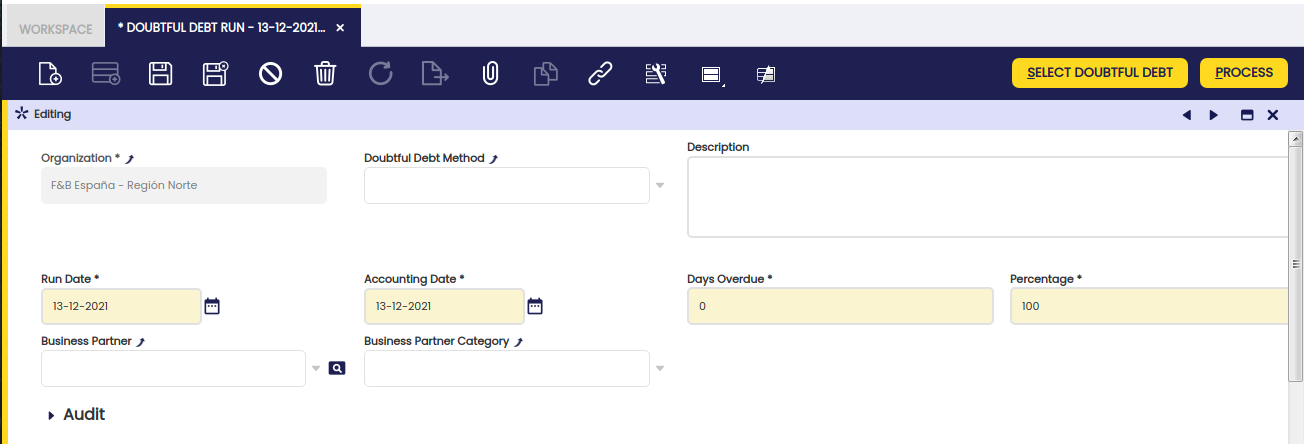
Some fields to note:
- Doubtful Debt Method: If there is a Doubtful Debt Method defined, it can be selected to automatically fill the needed fields with the provided values.
- Days Overdue: This field is used as a filter when selecting the existing debts. It can be removed afterwards.
- Percentage: This field is used when selecting the existing debts as the default percentage of the debt that is going to be considered doubtful. It can be changed afterwards.
Select Doubtful Debt. After filling the necessary fields, the "Select Doubtful Debt" button is shown. By clicking it, a new pop-up is shown for selecting the debts that are going to be considered doubtful.
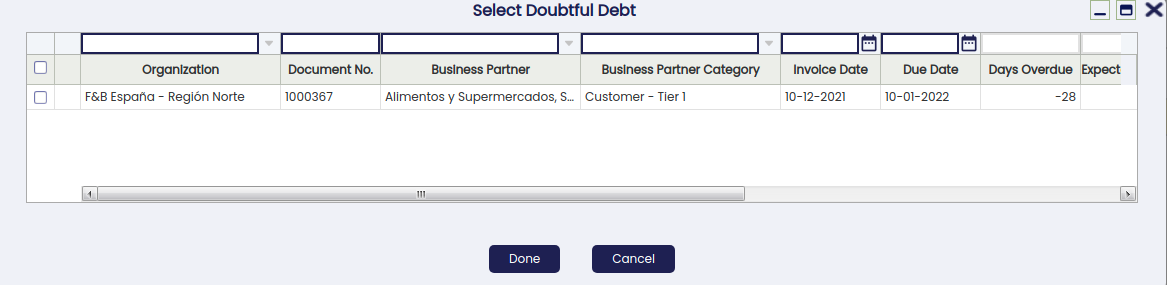
All the pending debts are shown in this window pre-filtered by the previously set parameters. These filters can be removed by clicking the funnel icon.
Each row represents an Outstanding Debt, and it is possible to select as many as necessary to define them as doubtful.
For each line, it is possible to edit the Doubtful Debt Amount field. This is the amount that is going to be considered as doubtful. Notice that it is not possible to define a Doubtful Debt amount larger than the Outstanding Amount.
The field Run Date can also be modified per each row. When clicking the OK button, the selected records will be visible in the Doubtful Debt tab below.
Process:
It is necessary to click the Process button after selecting the records in order to generate the corresponding Doubtful Debt/s.
Once created, it will be possible to post them or to reactivate them through the Doubtful Debt Window.
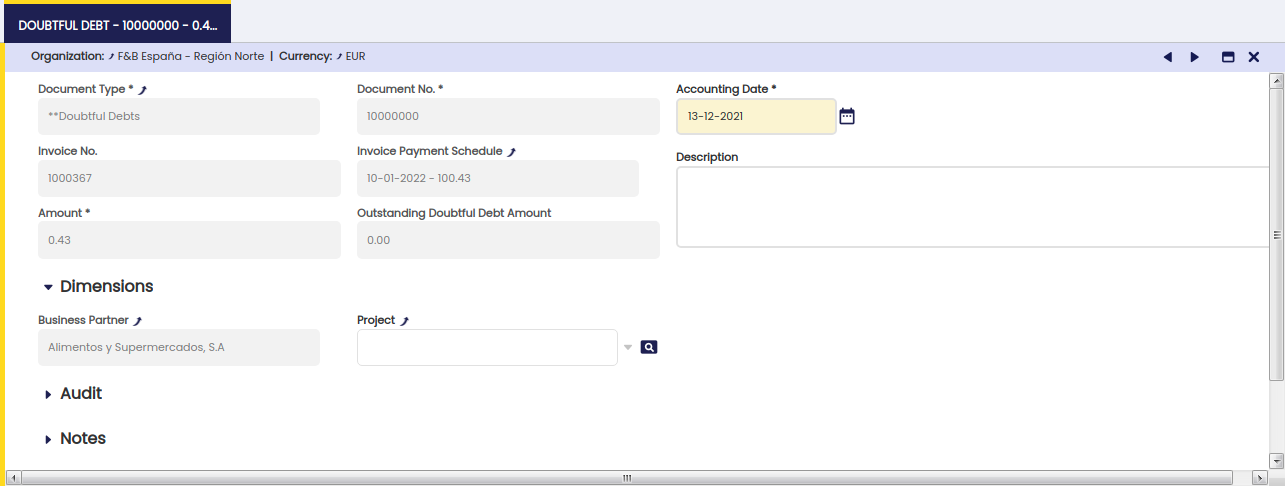
Doubtful Debt
In this tab, the previously selected records are shown. Afterwards, it will be necessary to Process the Doubtful Debt in order for it to be available in the Doubtful Debt Window.

This work is a derivative of Financial Management by Openbravo Wiki, used under CC BY-SA 2.5 ES. This work is licensed under CC BY-SA 2.5 by Etendo.