Bank File Format
Application > Financial Management > Receivables and Payables > Setup > Bank File Format
Overview
Etendo allows the user to import a bank statement file to an organization's financial account if a bank file format is configured for the organization.
Etendo delivers some modules which, once installed, allow the user to import bank statement files into Etendo in different formats:
- OFX Bank Statement Format
- CSV Generic Bank Statement Importer
- WePay CSV Importer
- and the Spanish one Cuaderno 43
Once a bank statement file is imported to an organization's financial account:
- the overall information such as the file name and the import date are saved in the Imported Bank Statements tab of the financial account
- and the content of the bank statement file is saved line by line in the corresponding Bank Statement Lines tab.
Bank File Format
The bank file format window lists the bank file format modules installed for an organization.
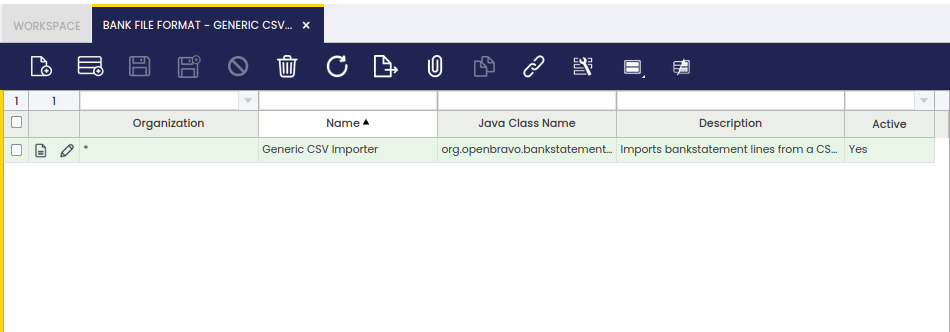
As shown in the image above, a bank file format can be applied to the organization in the Enterprise Module Management window after being installed, therefore it is available for any organization of the client.
Exceptions
Exceptions can be added to a bank file import format, therefore they are not taken by the import process. It is possible to define the text to exclude while matching transactions and bank statement lines on a given financial account or in all of them.
This work is a derivative of Financial Management by Openbravo Wiki, used under CC BY-SA 2.5 ES. This work is licensed under CC BY-SA 2.5 by Etendo.