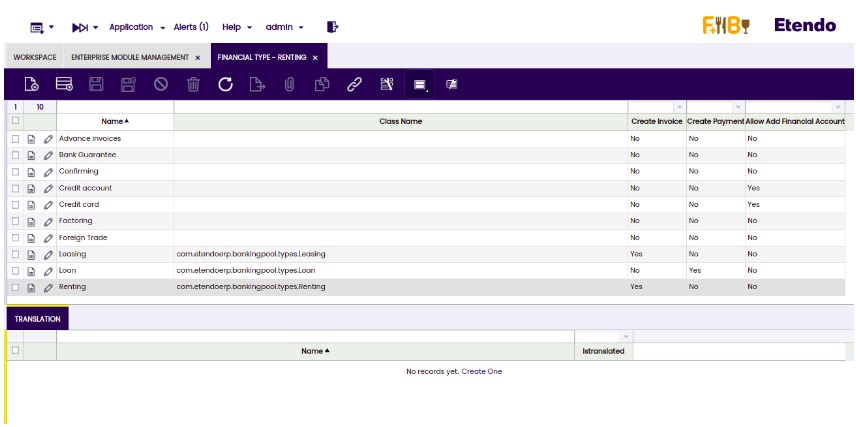
Financial Type
Application > Financial Management > Accounting > Setup > Financial Type
Info
To be able to include this functionality, the Financial Extensions Bundle must be installed. To do that, follow the instructions from the marketplace: Financial Extensions Bundle. For more information about the available versions, core compatibility and new features, visit Financial Extensions - Release notes.
Overview
In this window, the user can configure the different options to use in the Financial Type Configuration window.
Info
For more information, visit Financial Type Configuration.
How to install the Financial Type dataset
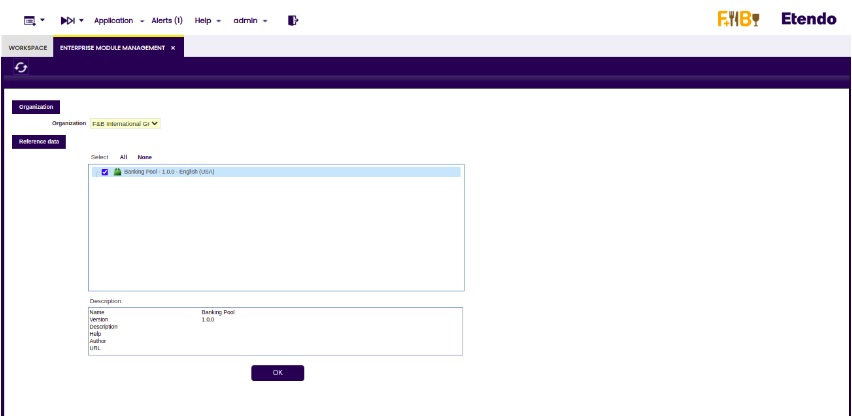
Go to the Enterprise Module Management window and select the organization needed to import the date by default. Then, check the dataset called "Banking Pool" and click the OK button.
The information imported from the Financial Type window is shown.