Stock Report
Stock Report
Application > Warehouse Management > Analysis Tools > Stock Report
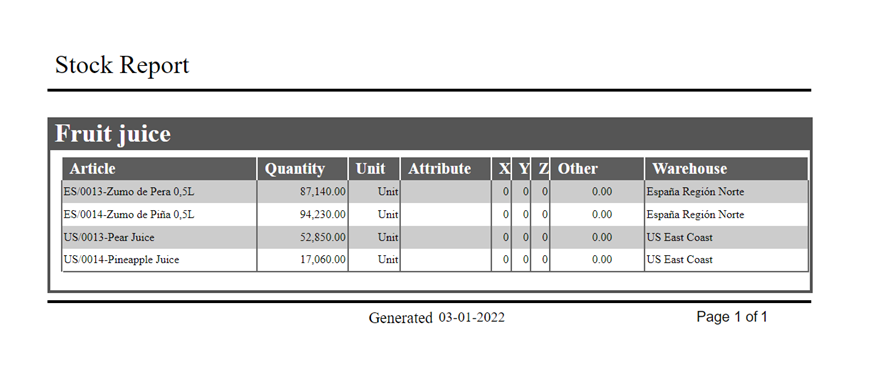
Stock Report shows a stock level of all products (that have quantity on hand different from zero) and their location (warehouse and storage bin) grouped by product category. For each row product, quantity, unit, attribute, shelves, column, height and warehouse.
Parameters window
The outcome of this report can be filtered by using movement date, product category, product and warehouse locators.
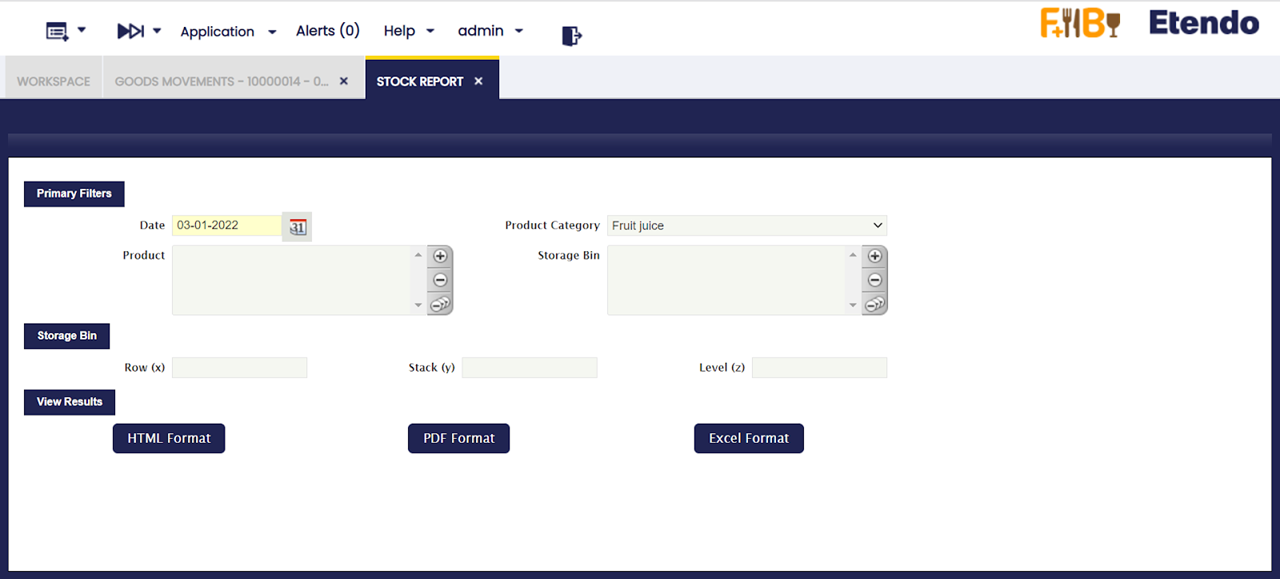
The outcome of this report can be viewed in HTML and PDF format.
Shelves (x), Column (y), Height (z) fields correspond to Row (X), Stack (Y) and Level (Z) of the Storage Bin.
Sample Report output
This work is a derivative of Warehouse Management by Openbravo Wiki, used under CC BY-SA 2.5 ES. This work is licensed under CC BY-SA 2.5 by Etendo.