User Interface Improvements
Overview
This section details the user interface improvements available in the Etendo New UI.
Etendo UI Improvements and Enhancements
Regional Date Formatting
All dates displayed in the user interface now adapt automatically to the regional configuration settings of your browser. This provides a personalized and localized view of date information, making the interface more intuitive and easier to read for users across different regions.
Warning
This regional formatting applies exclusively to the user interface display layer. The underlying data processing follows these rules:
- Display/View: Dates are formatted according to your browser's regional settings
- Backend Operations: Date values are processed and stored using the configuration specified in
gradle.properties - Dates automatically display in your preferred regional format without manual configuration.
Example Etendo Classic UI
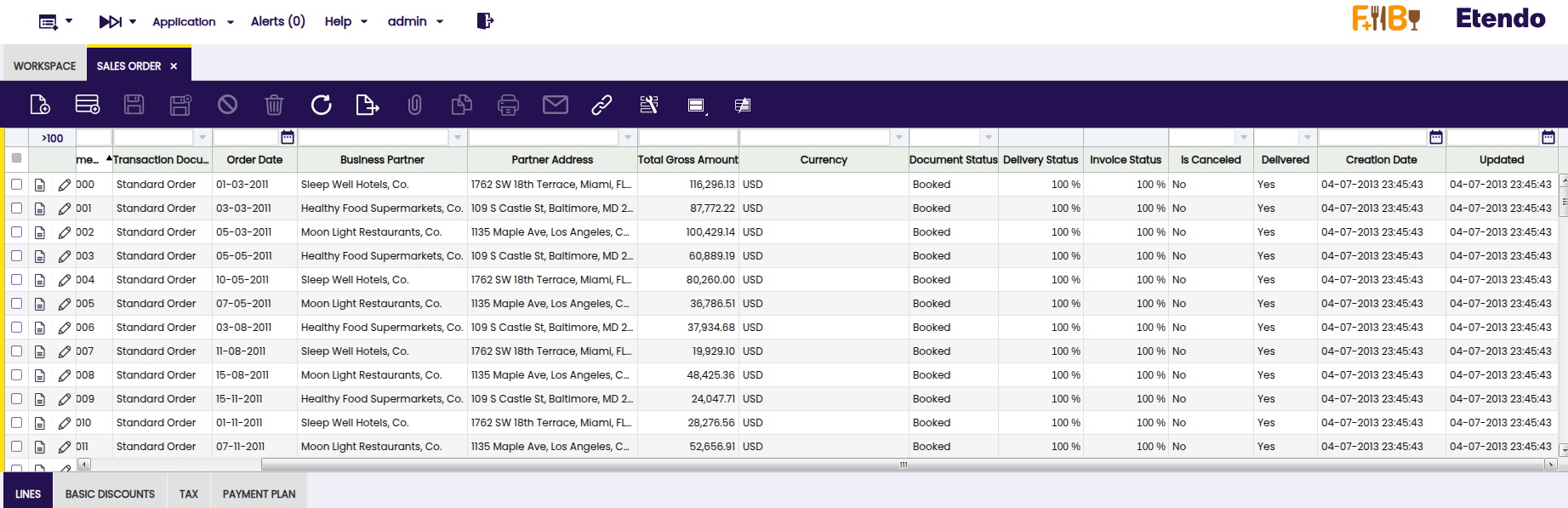
Example Etendo UI with Regional Configuration (en-US):
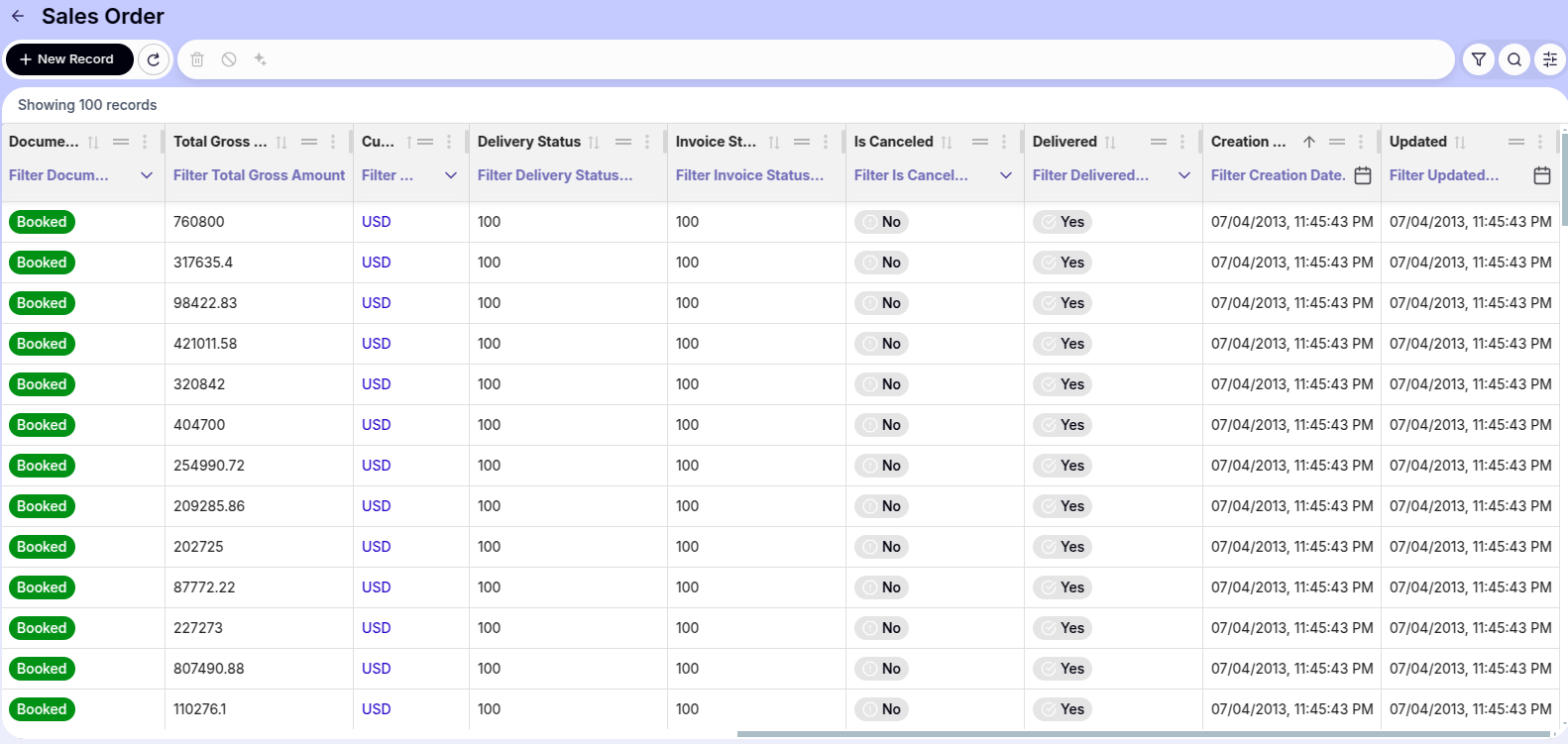
en-US (United States) is applied, so dates appear in MM/DD/YYYY format. Attachment Management
The Etendo UI introduces a completely redesigned attachment management system that provides a more agile, visual, and comprehensive way to handle file attachments, both from form view and directly from grid records.
Attachments Section in Form View
The attachments section has been redesigned to be more intuitive. Files are now displayed as tags or chips, allowing for quick identification.

File Upload
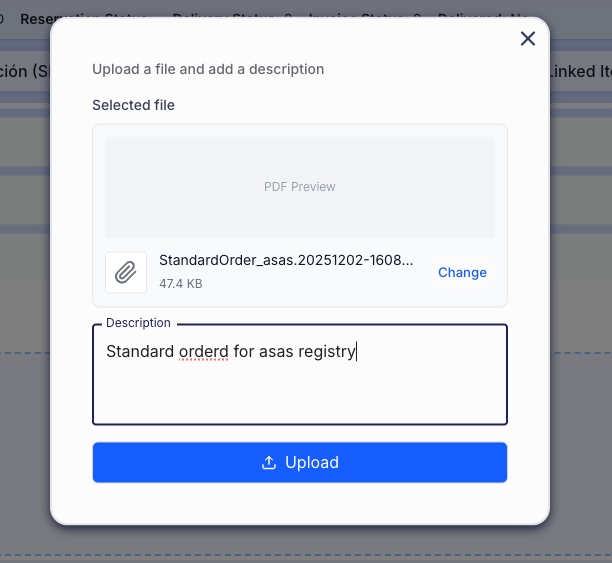
There are two main ways to upload files within a record:
-
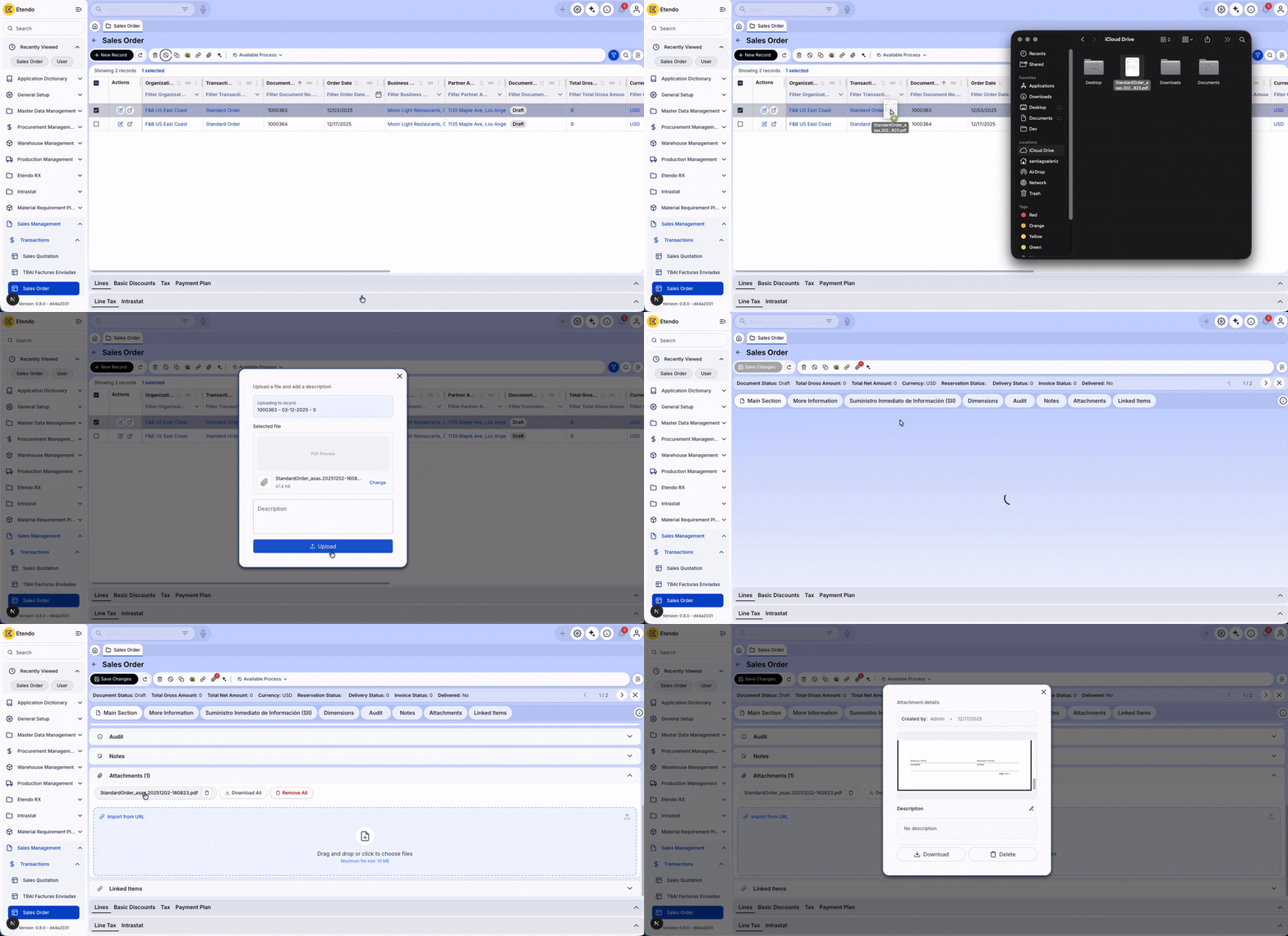
Drag & Drop: Drag one or multiple files directly from your computer to the dotted Drop Zone in the attachments section.
Note
When dropping the file, a confirmation modal will open where you can verify the selected file and add an optional description before uploading it.
-
File Explorer: Click on the upload zone (or upload icon) to open your operating system's file selector.
Preview and Quick Edit
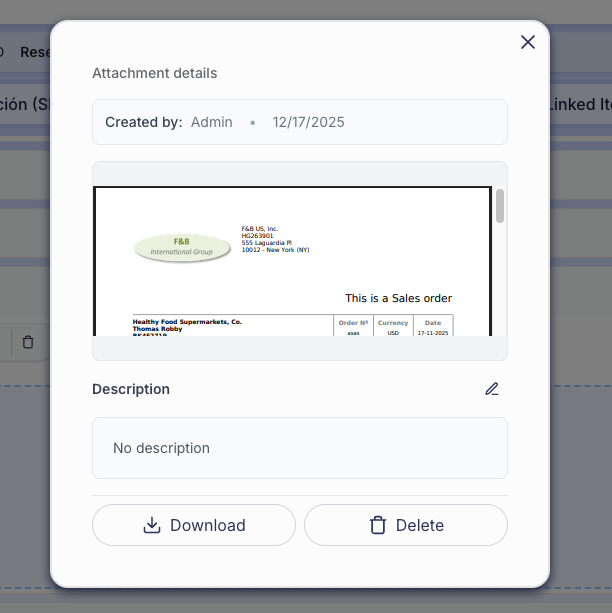
Clicking on any uploaded attachment name will open an advanced preview window.
Features within the preview:
- Integrated Viewer: View images and PDF documents directly without needing to download them.
- Description Editing: You can modify the file description in place. Click the Pencil icon, edit the text, and save changes with the Check icon, all without leaving the preview.
- Individual Management: Dedicated buttons to Download or Delete the file you are viewing.
Attachments Bulk Actions

To facilitate handling multiple files, global action buttons have been incorporated in the attachments section header:
- Download All: Generates and downloads a compressed file (
.zip) containing all attachments associated with the record. - Delete All: Allows you to delete all attachments from the record in a single step (requires security confirmation).
Quick Upload from Grid (Drag & Drop on Rows)
It is possible to attach files without needing to enter each record. From the main grid view:
Advanced Filters
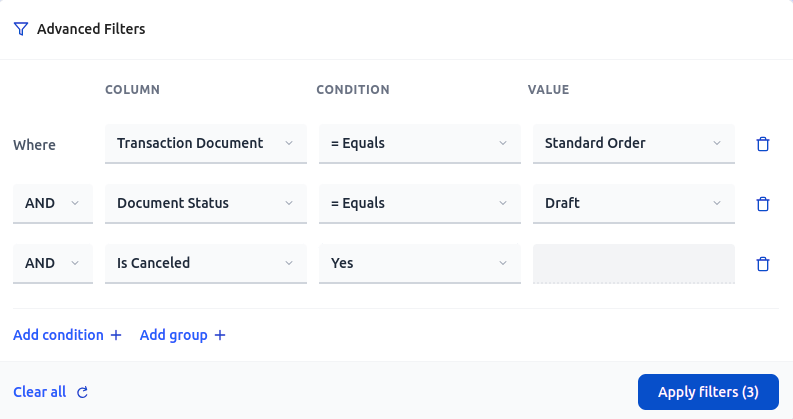
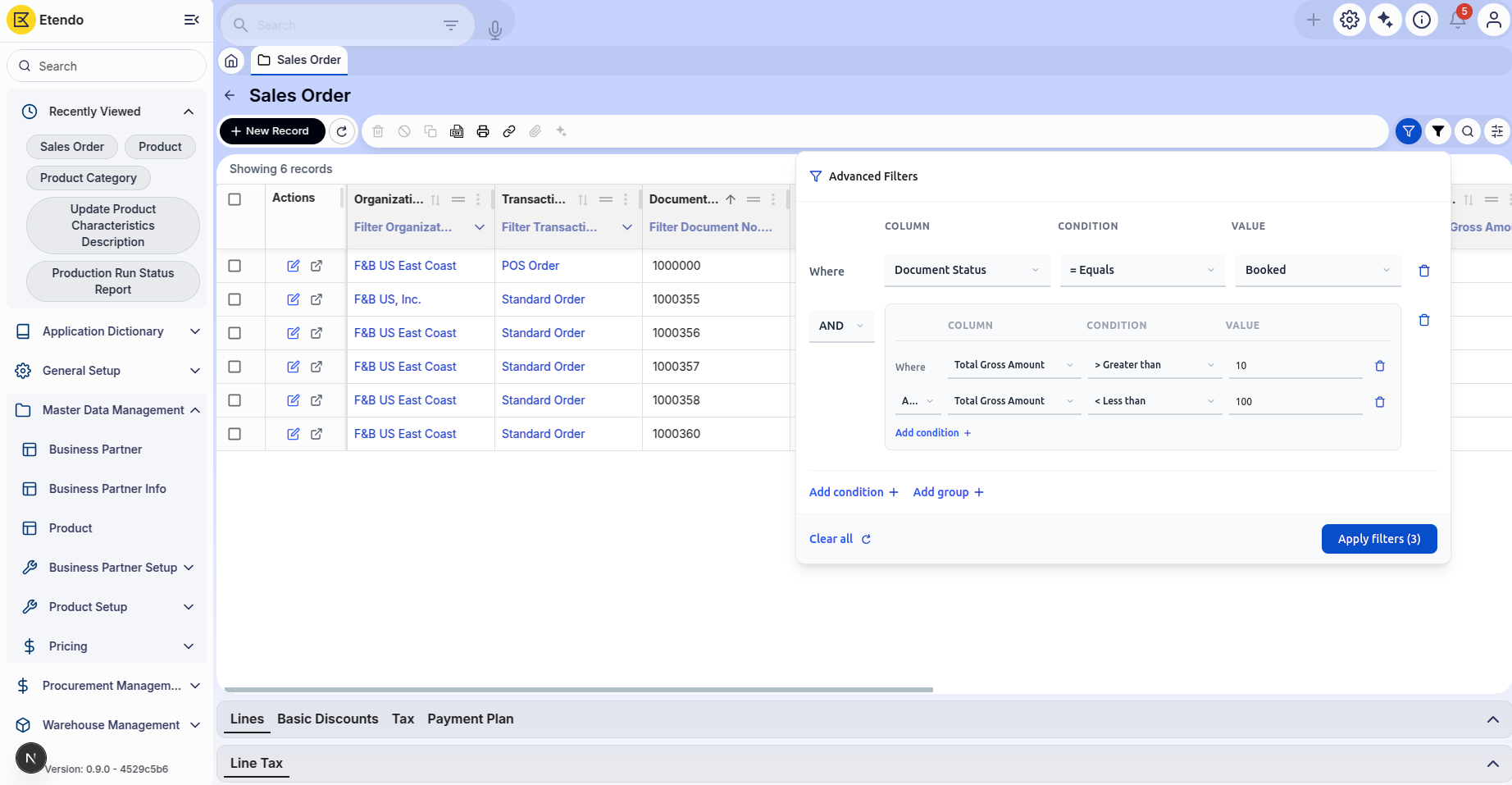
The Advanced Filters modal is a powerful filtering component that enables users to create complex, multi-condition filters directly from the grid interface. It provides an intuitive way to build sophisticated queries using logical operators and multiple filter groups.
Key Features
- Multiple Filter Types: Support for string, number, date, boolean, and select-type fields.
- Logical Operators: Combine conditions using AND/OR operators.
- Filter Groups: Nest multiple conditions within groups for complex query logic.
- Dynamic Operators: Available operators change based on the field type selected.
- Add/Remove Conditions: Dynamically add or delete individual filter conditions.
- Add/Remove Groups: Create nested filter groups to organize complex logic.
- Clear All: Reset all filters to start fresh.
- Apply/Validation: Only valid conditions (with column, operator, and value) are applied.
Supported Operators by Field Type
| Field Type | Supported Operators |
|---|---|
| String | - = Equals- ≠ Not equalsContains Not contains Starts with Ends with Is empty Is not empty |
| Number | = Equals≠ Not equals> Greater than< Less than≥ Greater or equal≤ Less or equal |
| Date | = Equals≠ Not equalsBefore After Today This week This month |
| Boolean | yes no |
| Select (Dropdown) | = Equals≠ Not equals |
Using the Advanced Filters
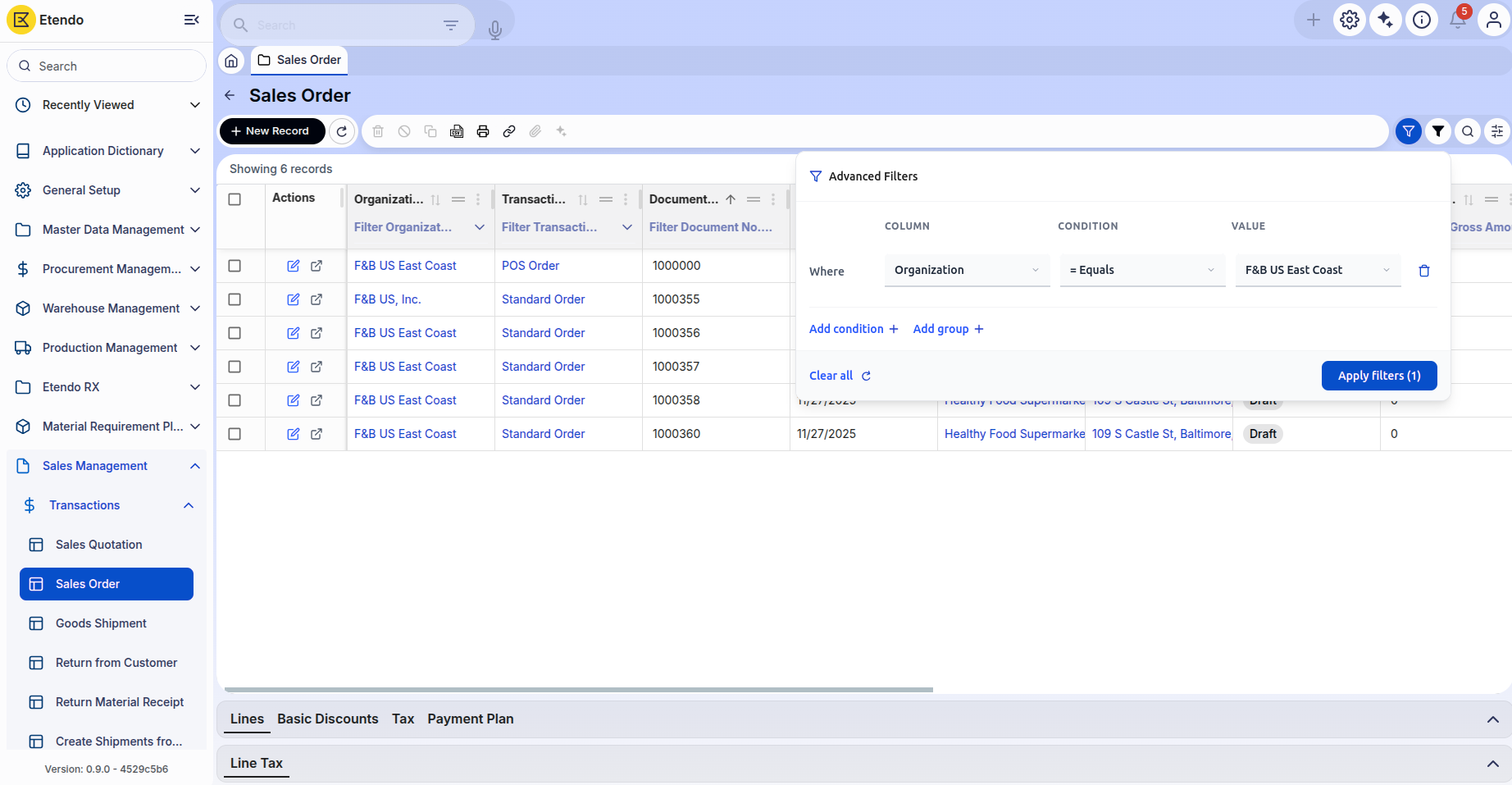
- Click the Filter Icon in the grid header to open the Advanced Filters modal.
- Select a Column from the dropdown in the first filter row.
- Choose an Operator appropriate for the field type.
- Enter or Select a Value based on the operator type.
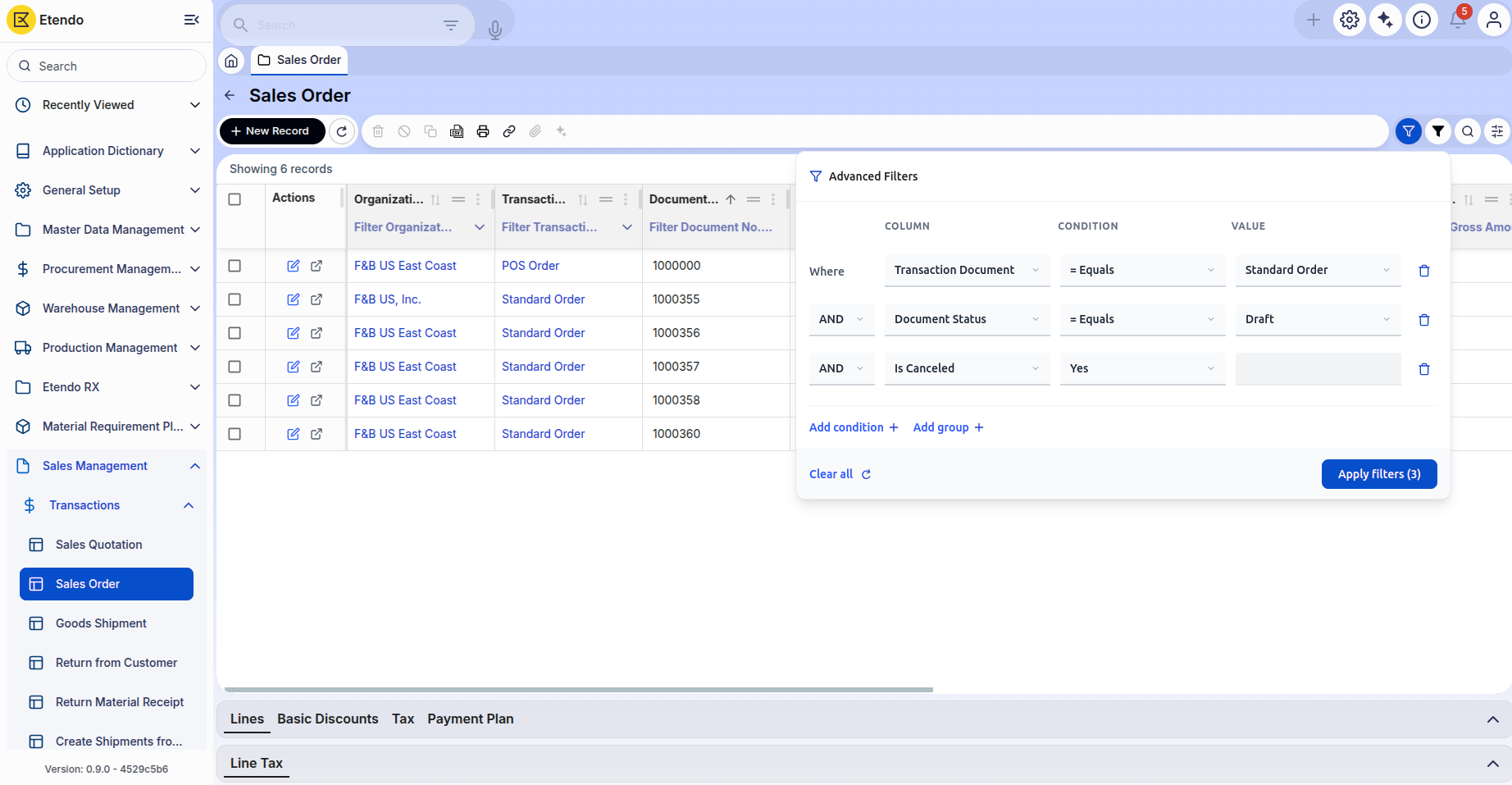
- Add More Conditions by clicking Add Condition button.
- Create Filter Groups for complex logic using Add Group button.
- Review Your Filters - The status shows the number of active filters.
- Click Apply Filters button to execute the query.
- Clear Filters by clicking Clear All button to reset and start over.
Example Scenarios
This work is licensed under CC BY-SA 2.5 ES by Futit Services S.L.