Advanced Business Partner
Javapackage: com.etendoerp.advanced.businesspartner
Overview
This section describes the Advanced Business Partner module included in the Etendo Essentials Extensions bundle.
Info
To be able to include this functionality, the Essentials Bundle must be installed. To do that, follow the instructions from the Marketplace.
The Advanced Business Partner module allows the user to have a general view of business partners information and to assign sequence numbers to business partners.
Business Partner General View
Application > Master Data Management > Business Partner General View
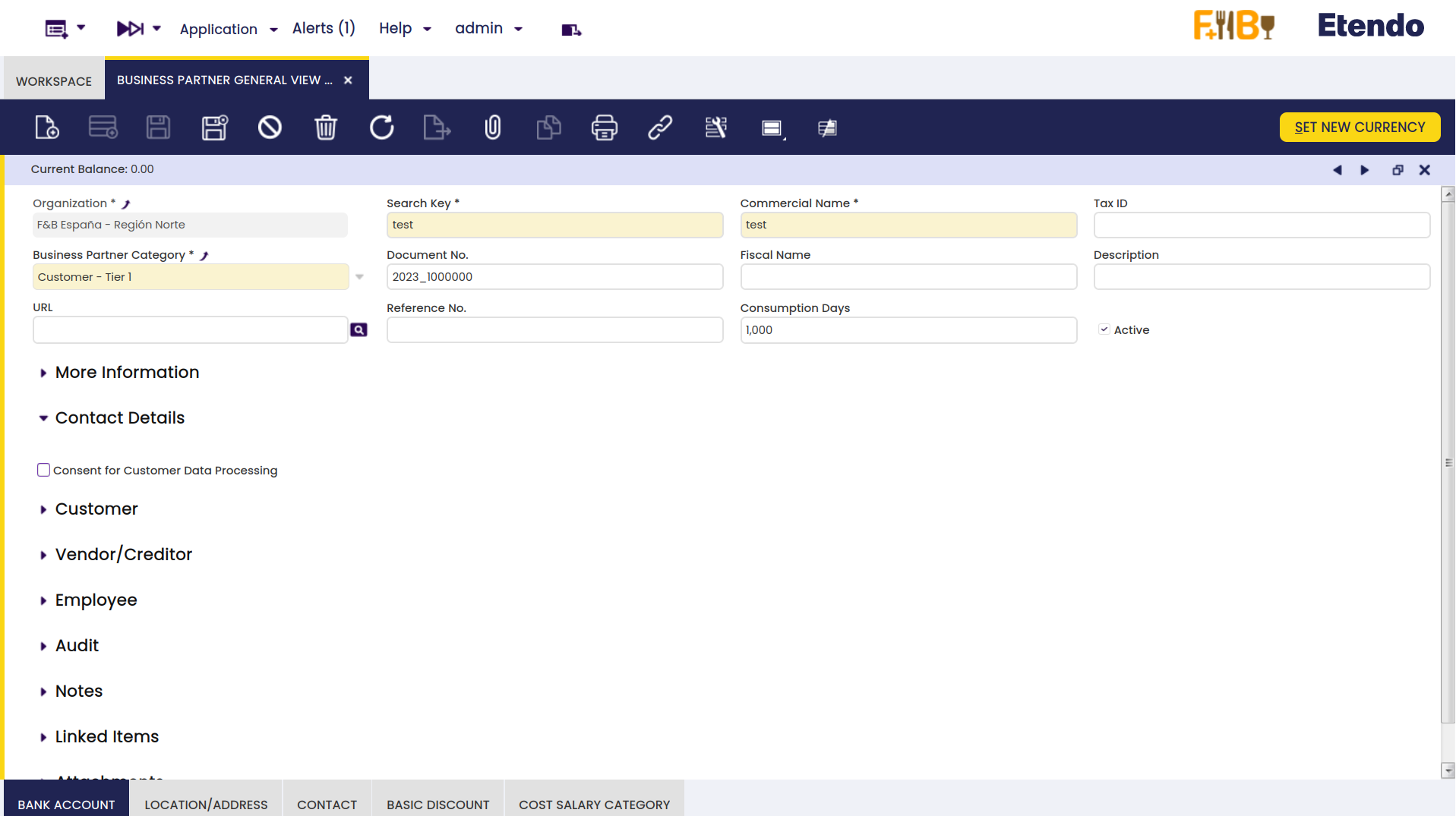
The Business Partner General View centralizes all partner data — customer, vendor, and employee information — in a single window, eliminating the need to navigate between tabs to consult or update commercial conditions.
In this window, all business partner information is consolidated in a single form: the Customer, Vendor/Creditor, and Employee sections are visible directly in the main view, without switching between tabs as required in the standard Business Partner window.
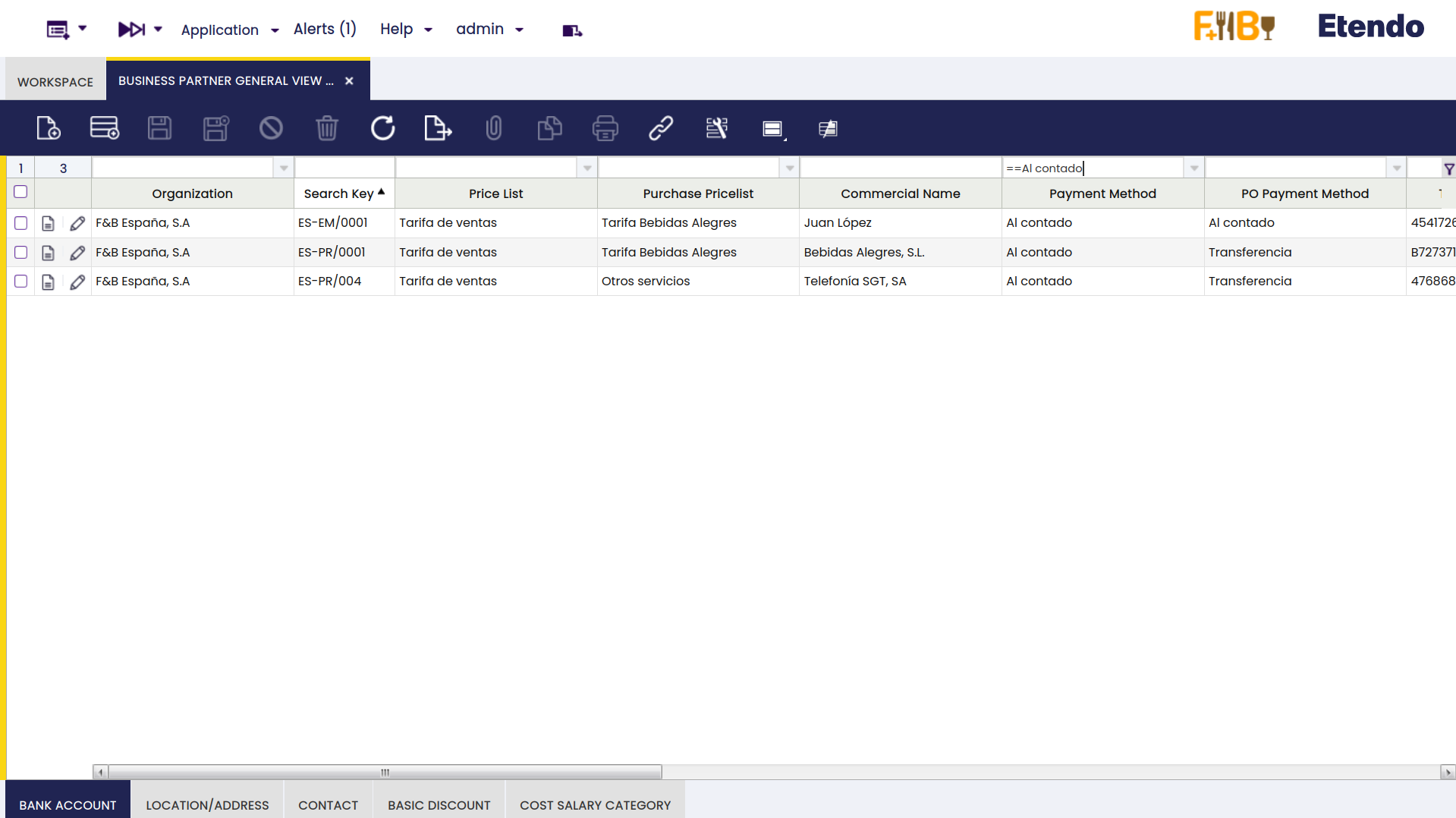
In grid view, fields from different tabs of the standard window — such as payment method, price list, and purchase pricelist — are available as columns. This allows filtering, comparing, and editing multiple business partners at once without opening each record individually.
Document Sequence
Application > Financial Management > Accounting > Setup > Document Sequence
In this window, it is also possible to create a sequence number for each business partner based on its category. This sequence number can be found in the Document No field in the Business Partner window.
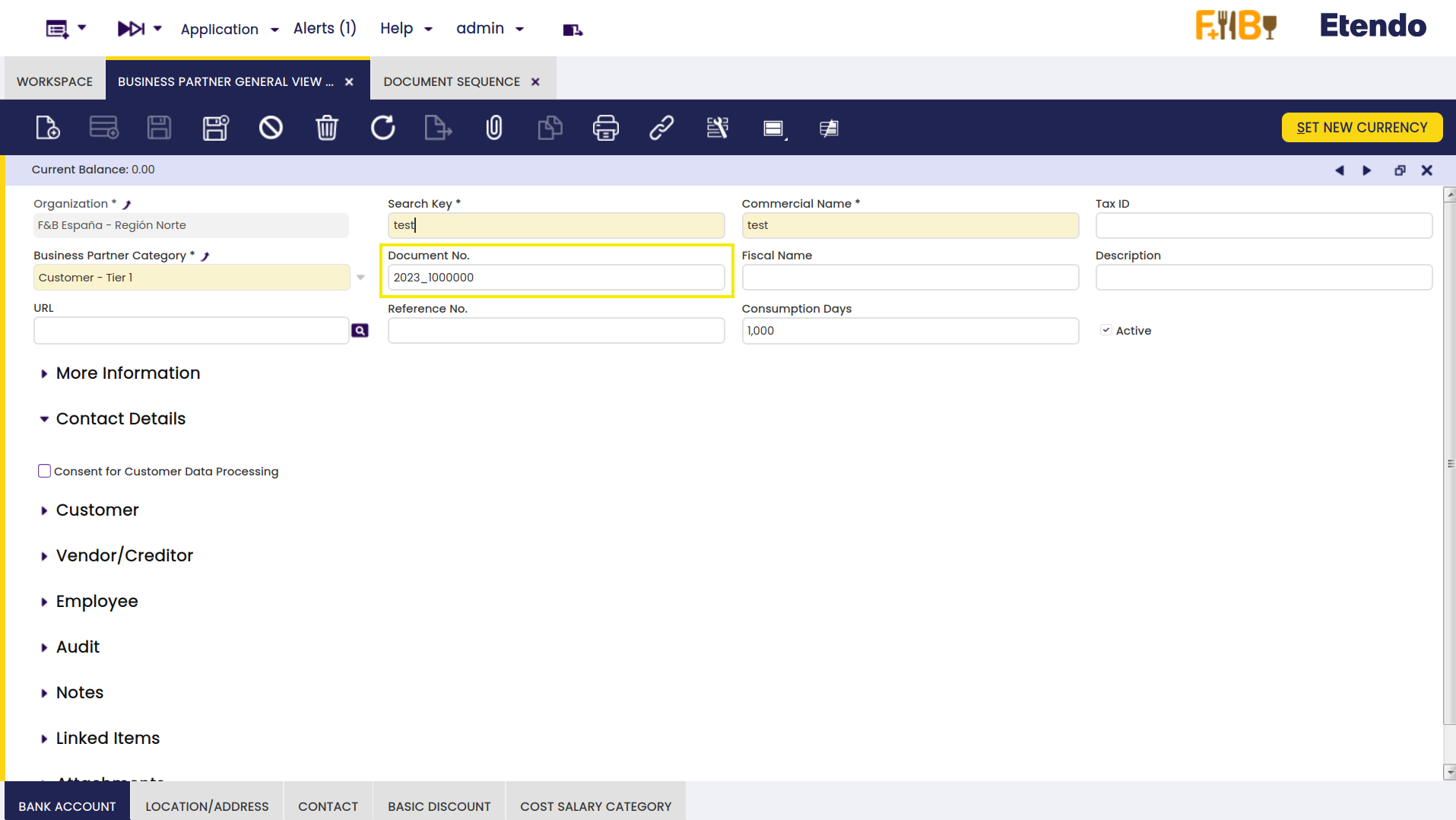
For this, you have to set some preferences and configure the sequence number first, as explained below.
Preferences
Application > General Setup > Application > Preference
In order to configure a business partner sequence number, two preferences must be enabled. These can be found in the Preferences window.
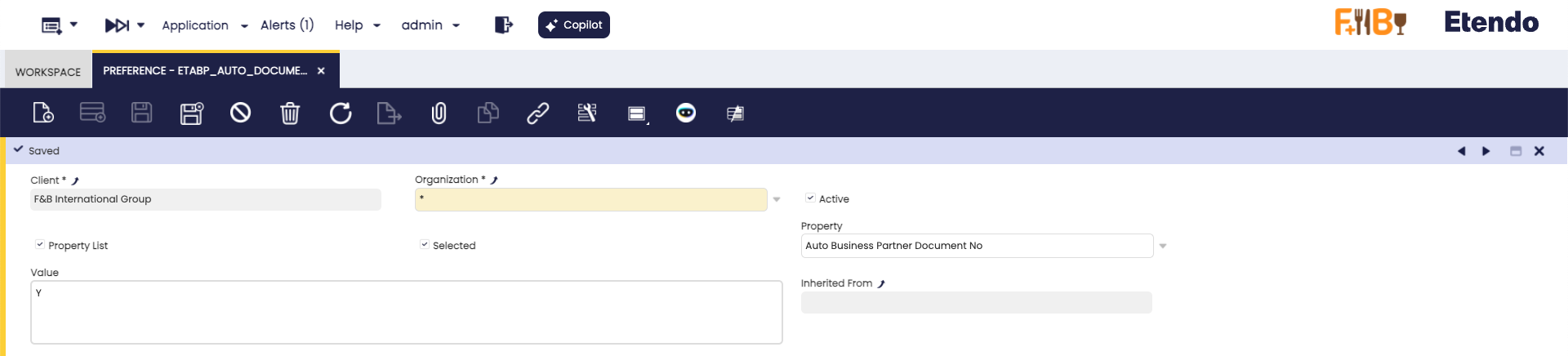
Auto Business Partner Document No
This property allows the automatic generation of sequence numbers for business partners. The default value is N and, in case it is necessary to enable this automatic generation, a new preference must be created, but with the value Y and the option Selected checked. When is disabled, the Document No field will be left blank.
Allow Jumps in Business Partner Document No
This property allows jumping among the different document numbers. The default value is N, so, it is not allowed to remove business partners or change business partner categories.
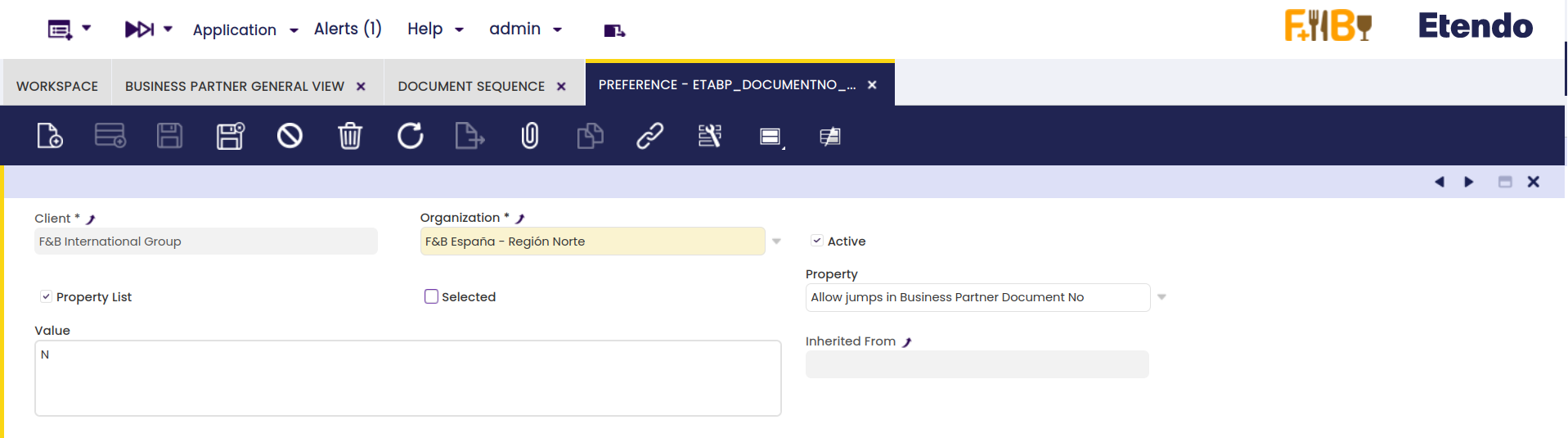
However, it is possible to create a new preference with value Y, and the option Selected checked to enable this option. When the business partner category is changed, the document number is also changed according to the corresponding document sequence.
How to Configure Sequences Number
Application > Financial Management > Accounting > Setup > Document Sequence
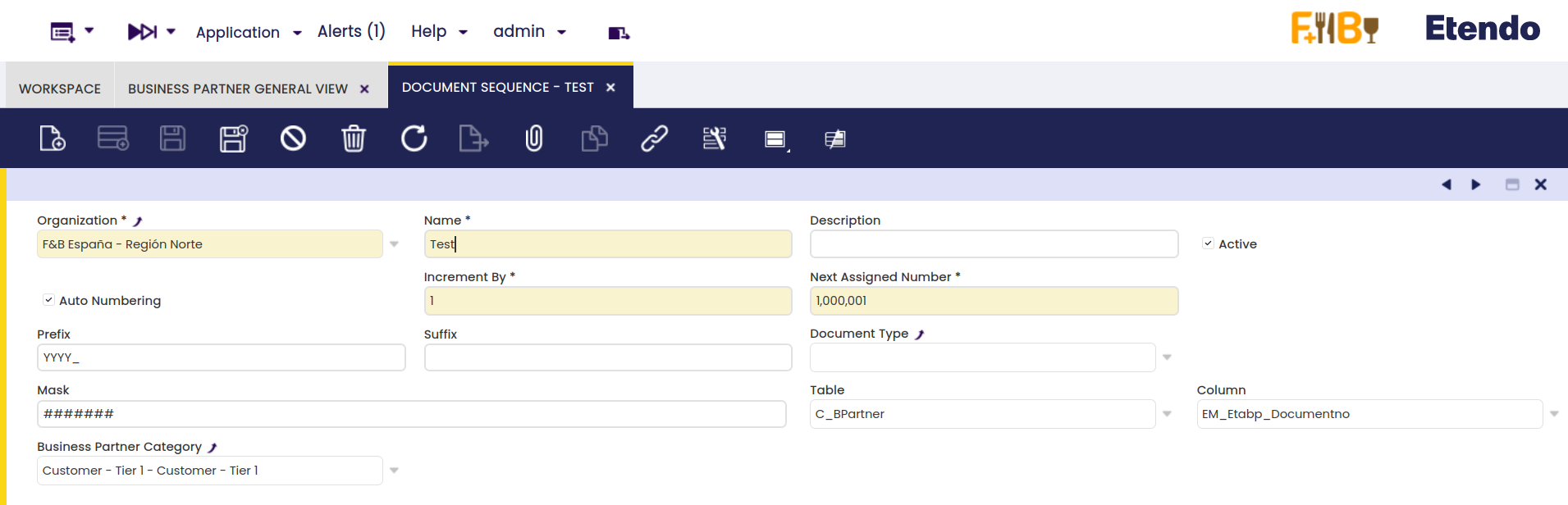
To configure the Sequence Number, go to the Document Sequence window, create a new record for each organization and category, set the corresponding table, column and business partner category, and save the record. The table and column fields must be filled with the options seen below.
Info
For more information, visit Sequences.
This work is licensed under CC BY-SA 2.5 ES by Futit Services S.L.