G/L Category
Application > Financial Management > Accounting > Setup > G/L Category
Overview
In this window, the user can view, create, and manage G/L Categories used to classify accounting entries in the General Ledger.
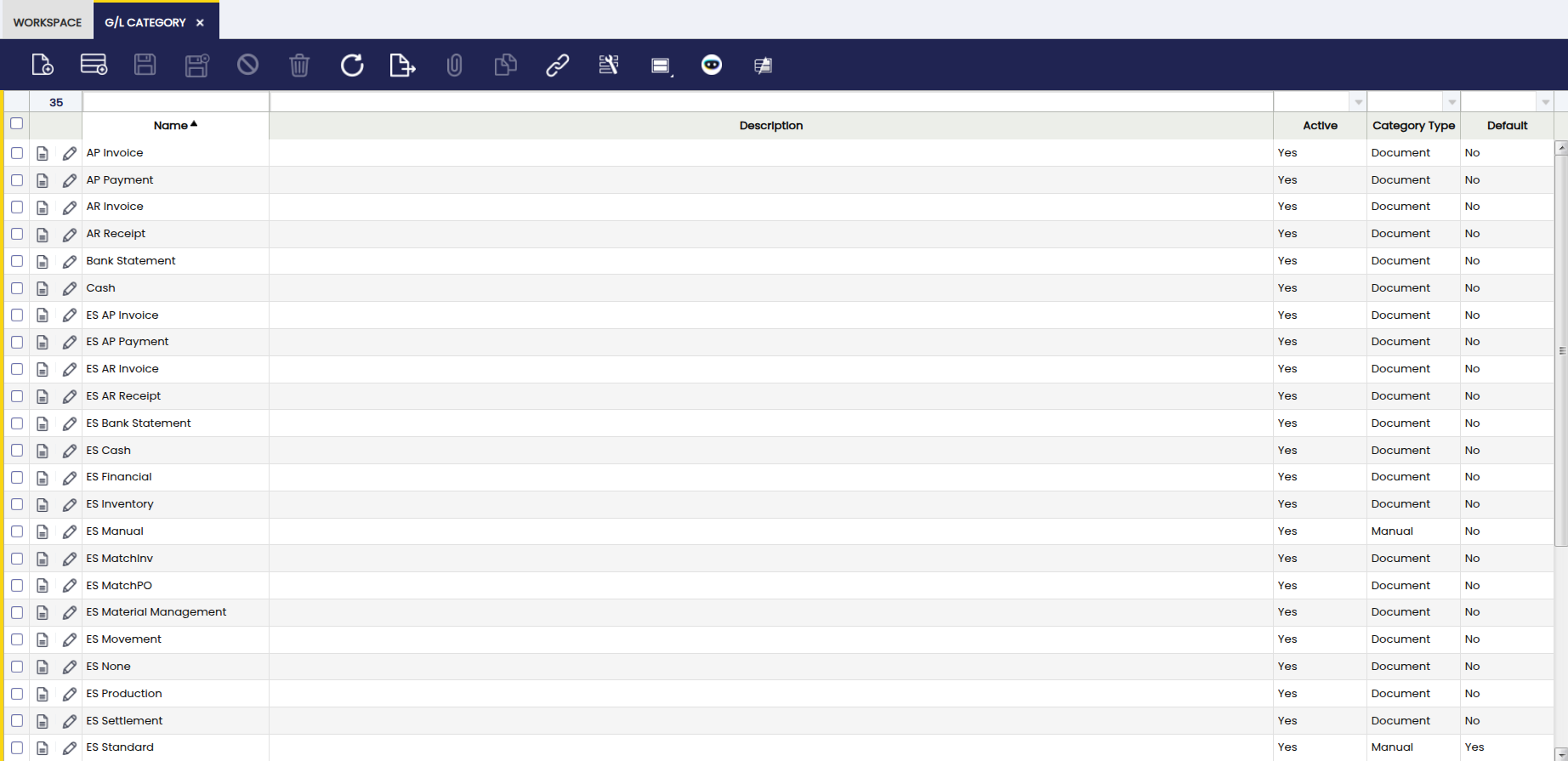
G/L (General Ledger) Categories act as classification identifiers that are later assigned to Document Types. Once a G/L Category is linked to a Document Type, all accounting entries generated from that document are automatically categorized during posting, ensuring consistent classification without manual intervention.
These categories can be applied to journals generated from documents, manually entered journals, or imported journals, and are mainly used for reporting, analysis, and grouping ledger lines across different sources.
The main purpose of the G/L Category window is to define a controlled set of accounting classifications that standardize how ledger entries are grouped and analyzed.
G/L Categories are typically created when:
- A new Document Type requires a distinct accounting classification.
- There is a need to differentiate accounting entries in financial reports (for example, separating operational journals from adjustment or closing entries).
- Imported or manually created journals must be clearly identified by origin or business purpose.
Once created, G/L Categories are assigned in the Document Type window. From that point on, every document posted using that Document Type will automatically apply the corresponding G/L Category to its accounting entries. Creating unnecessary or overly granular categories is discouraged, as categories are intended to represent stable, high-level classifications rather than transactional details.
Header
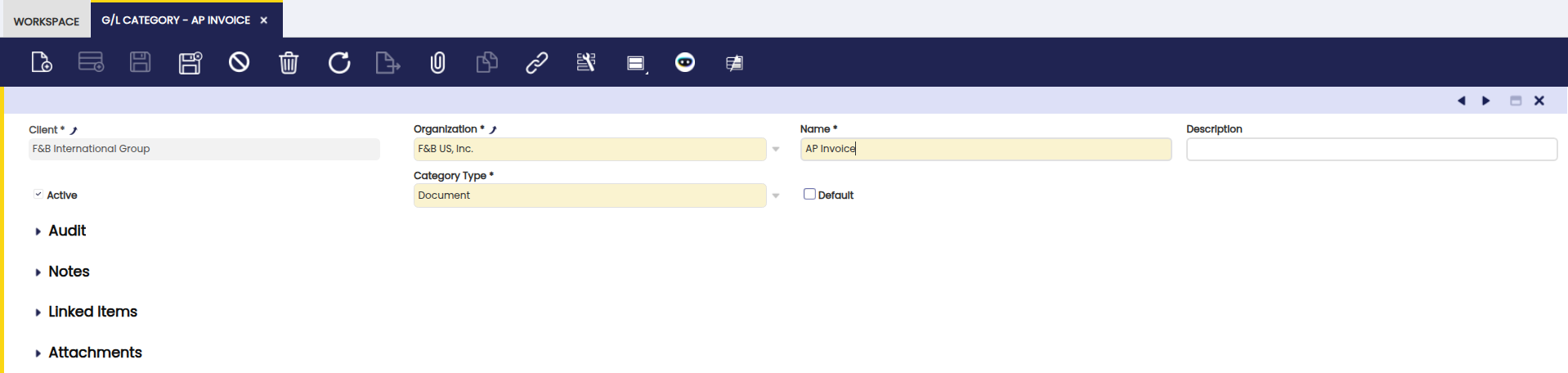
Fields to note:
- Client: The client this category belongs to.
- Organization: The organization that will use the category.
- Name: A descriptive record identifier that is used as a default search option. It is up to 60 characters in length.
- Description: Additional information about the category.
-
Active: A flag indicating whether this record is available for use or deactivated.
Info
It is possible to deactivate categories you no longer want users to pick; existing postings remain unchanged.
-
Category Type: It indicates the source of the journal for this category. Journals can be generated from a document, entered manually or imported.
- Default: When checked, this category is selected by default for new records that use this category. This option speeds up data entry when necessary.
Example
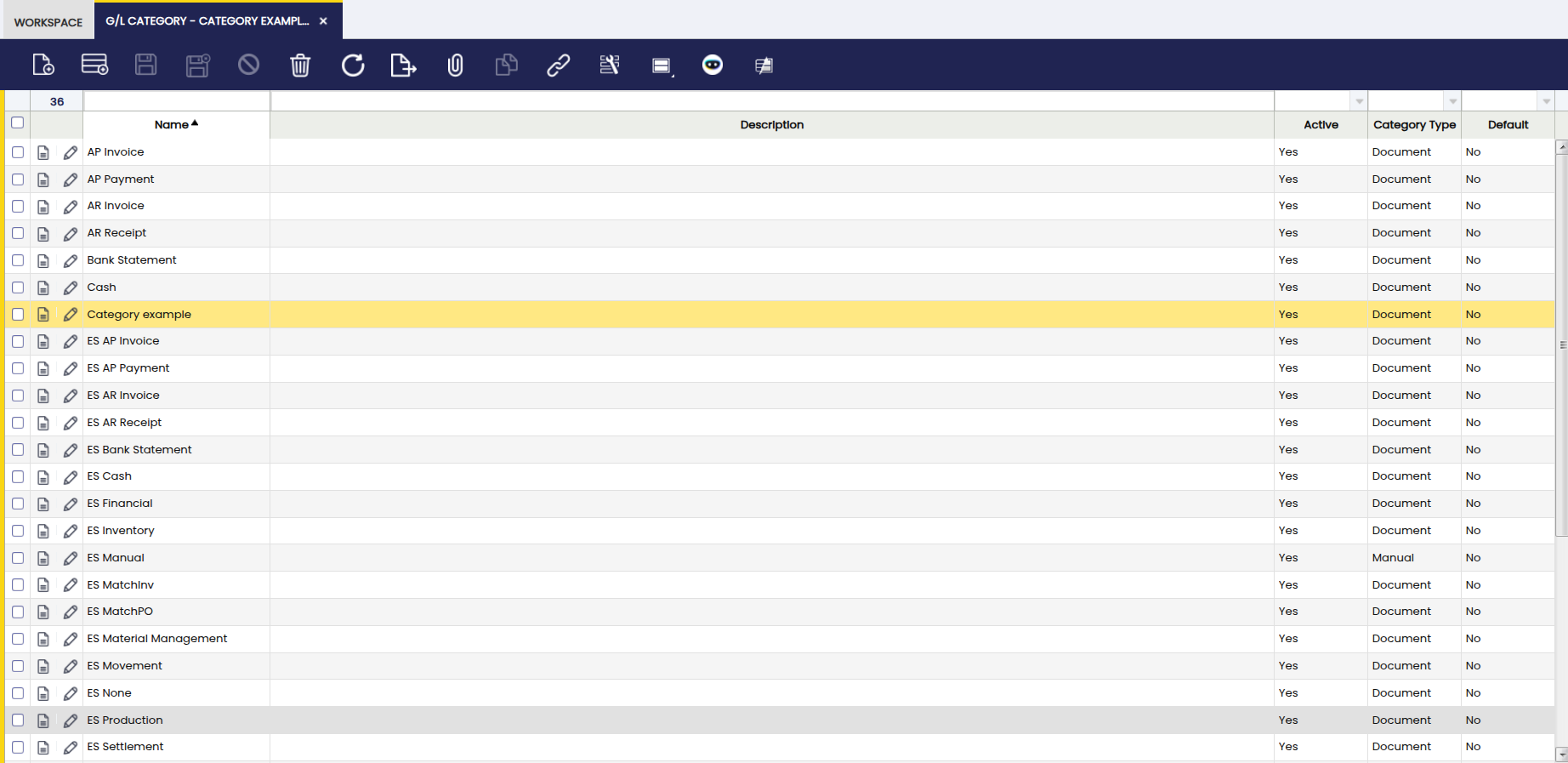
Select the create new option, fill in the corresponding fields and save it.

The created category is available to use in journal entries, imports, and document processing.
This work is a derivative of G/L Category by Openbravo Wiki, used under CC BY-SA 2.5 ES. This work is licensed under CC BY-SA 2.5 by Etendo.