How to Create a Multi Selector
IMPORTANT: THIS IS A BETA VERSION
This page is under active development and may contain unstable or incomplete features. Use it at your own risk.
Overview
Multi Selector is a reference that allows to select multiple items at the same time. It is intended to be used as parameter of Standard Process Definition. Multi Selector reference is defined pretty much as regular selectors, which allow to select a single value.
Example Module
This section is supported by an example module which shows examples of the code shown and discussed. The code of the example module can be downloaded from this repository.
Steps to implement the Process
This section explains how to create a Multi Order selector.
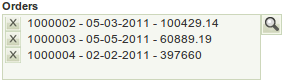
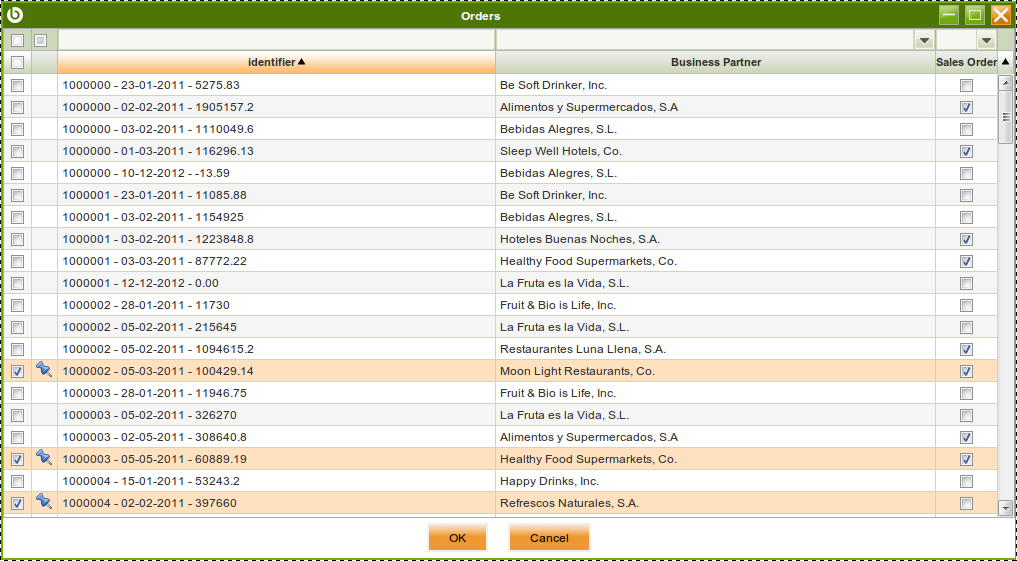
Defining the Selector
- As System Administrator open Reference window.
- Create a new record.
- Name: Multi Order Selector
- Parent Reference:
OBUISEL_MultiSelector Reference - In Defined Selector tab, set the properties for the selector:
- Template: Selector Template
- Table:
C_Order
Adding fields to Selector's Pop Up
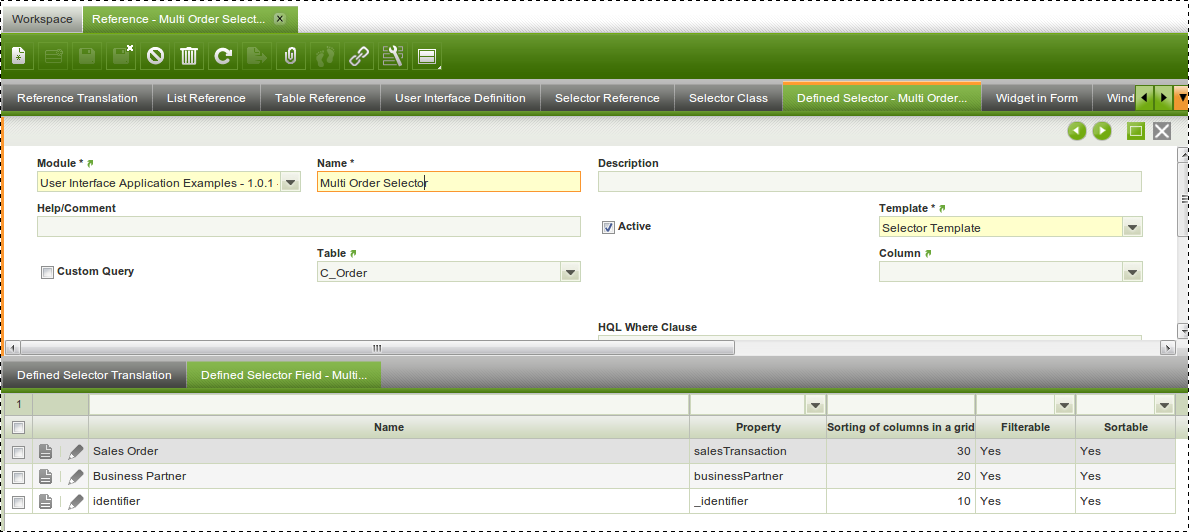
The last step is to define which are the fields that will be present in the popup to select records.
- Go to Defined Selector Field tab
- Create records:
- Name: it is the name the user will see (i.e. Business Partner).
- Property: actual property to retrieve information from (i.e. businessPartner).
- Sorting of columns in the grid: Position of this column in the grid (i.e. 20).
Using the Selector
This selector can be used as parameter for a Process Definition.
Info
For more information visit How to Create a Standard Process Definition.
Retrieving values in backend
In backend, the Java implementing the process, receives an JSONArray with the IDs of all selected rows. In case no row is selected, an empty array is received.
//...
JSONArray orders = params.getJSONArray("orders"); // get the array


// iterate it
for (int i = 0; i < orders.length(); i++) {
    // ...
}
Advanced topics
Using custom query selector
When using a custom query to define the selector, there must be an alias in the query named _identifier which will be used as user readable identifier for the selected records and another one named id which will be sent to backend as id of the selected records. Fields for these query columns with the same names are also required.
Note
Multi Selectors can only be used as parameters in Standard Process Definition, they cannot be included in Standard Windows.
This work is a derivative of How to Create a Multi Selector by Openbravo Wiki, used under CC BY-SA 2.5 ES. This work is licensed under CC BY-SA 2.5 by Etendo.